
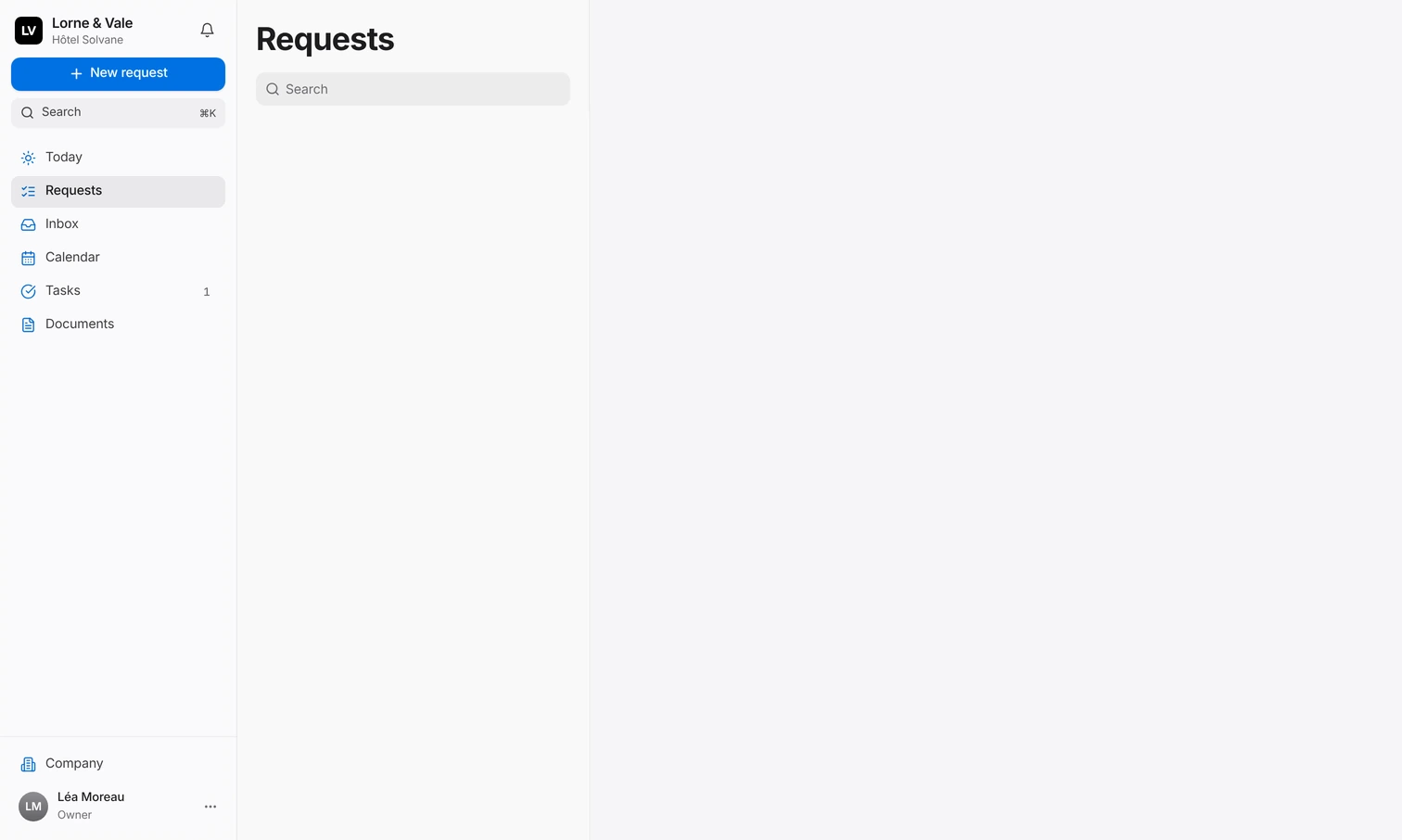
Today
What matters now, at a glance.
Web platform and iPhone app
The web platform for your team’s desk: prepare, check, decide and set things up, on Mac or PC. The iPhone app for the moment something comes up: dictate a request, decide in a tap. One account, the same requests.
The web platform
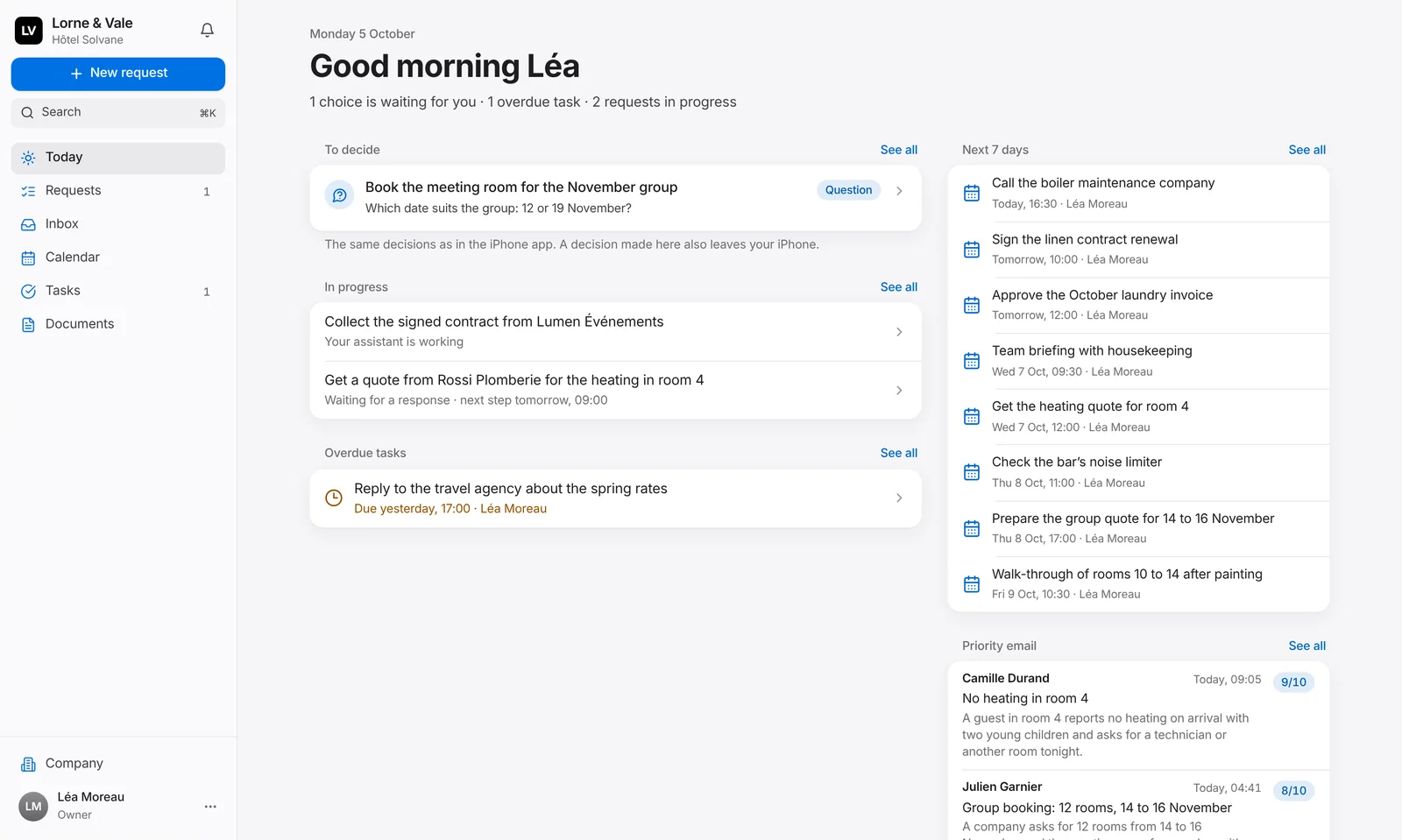
Today, Requests, Inbox, Calendar, Tasks, Contacts and Documents, in Safari, Chrome, Edge or Firefox. Light, dark or automatic, in English or French. Nothing to install.
What waits for your decision, what is moving, the week ahead and the emails that matter, on one screen.
The list beside the detail. Search, filter and decide in one click.
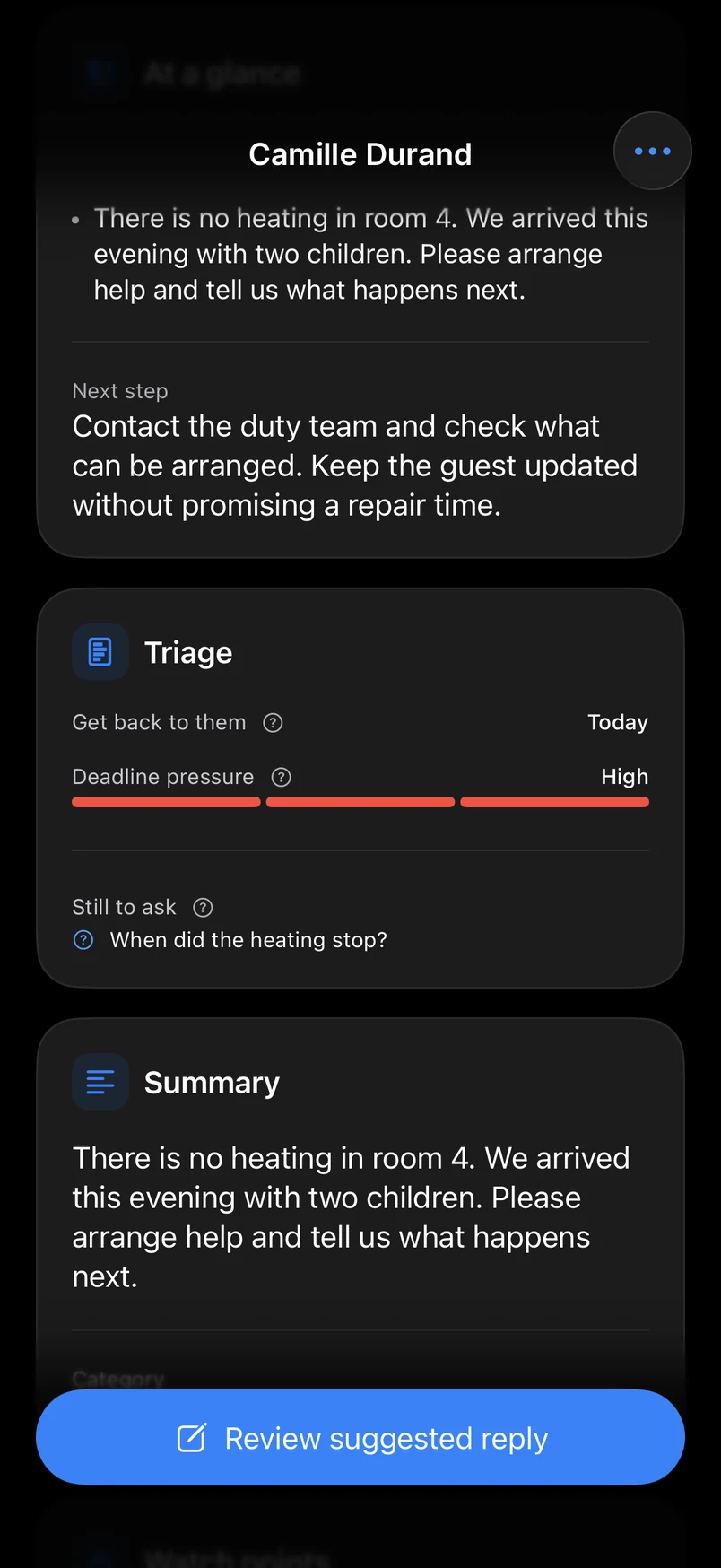
Every email graded from 1 to 10 and summarised, with the reason for its grade and a reply ready to review.
Your week in your own time zone, every task by when it is due, and your company documents.
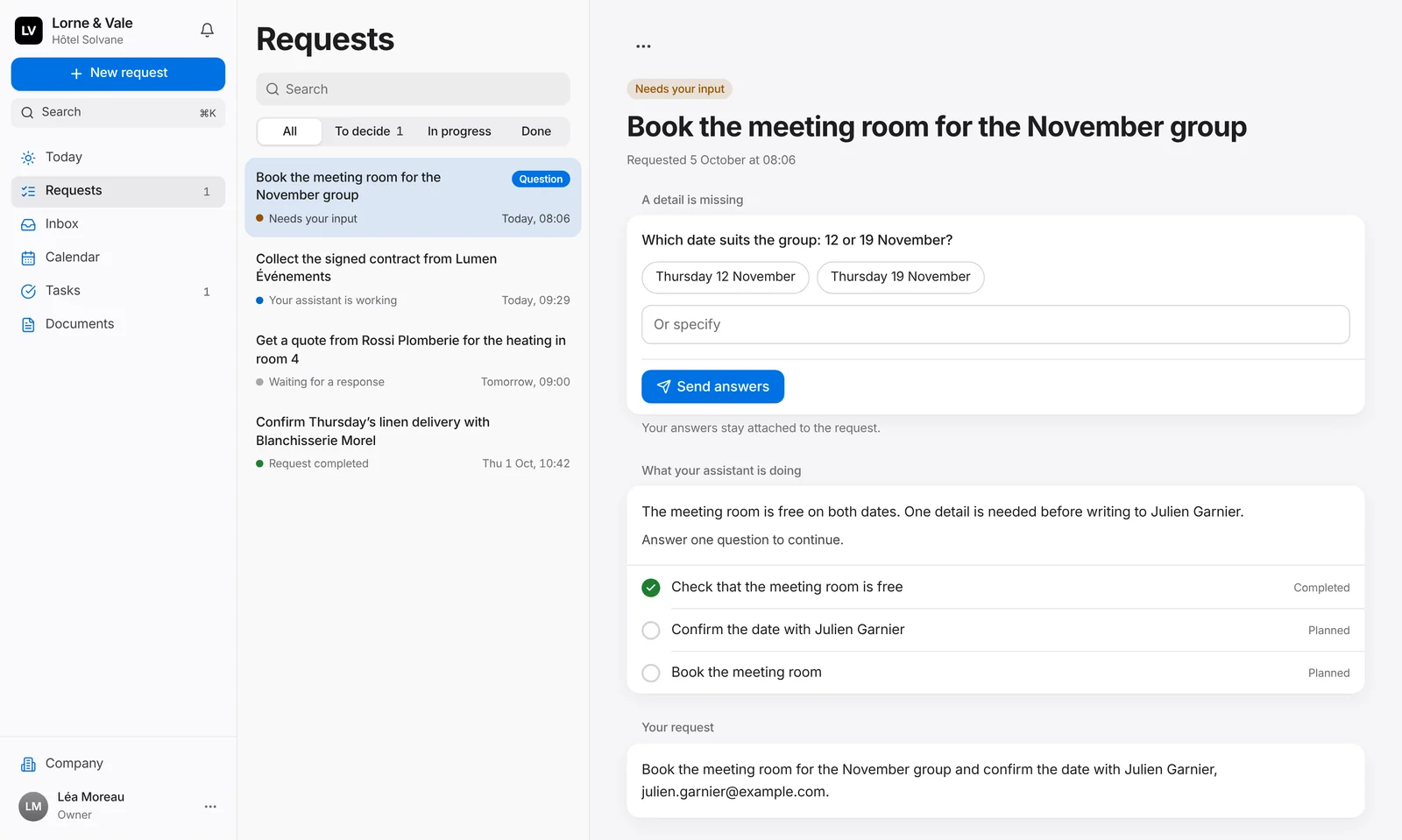
Every request
Choose between the options your assistant prepared, answer its question or let it carry on. The plan, the proof, the files and the full history sit beside it. A decision made here is made on your iPhone too.
Inbox
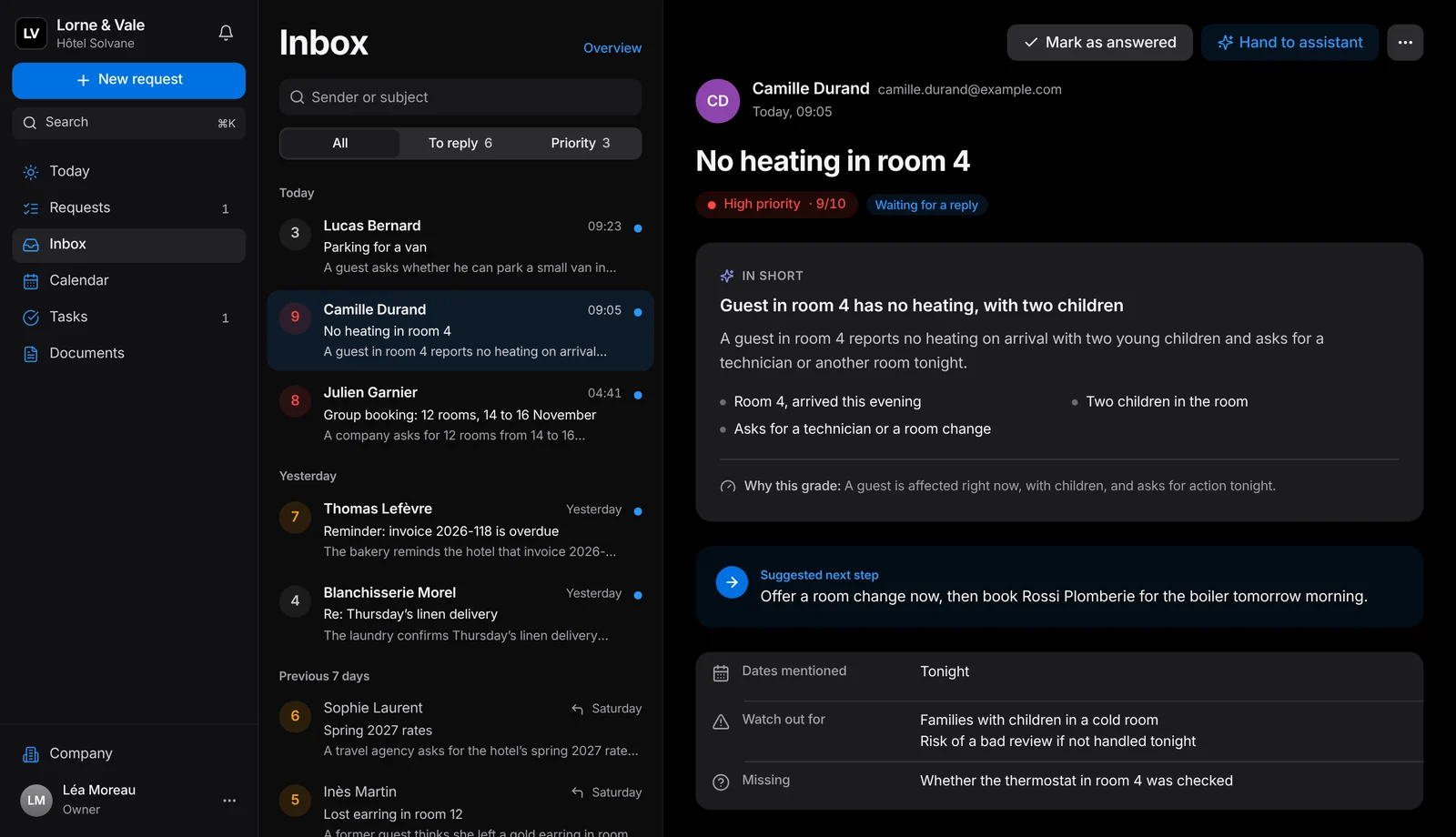
Each email arrives graded from 1 to 10 and summarised, with the reason for its grade and a reply ready for your review. The overview shows what arrived this week, what still waits and how fast your team answers. The grade sorts the work. It never acts on its own.
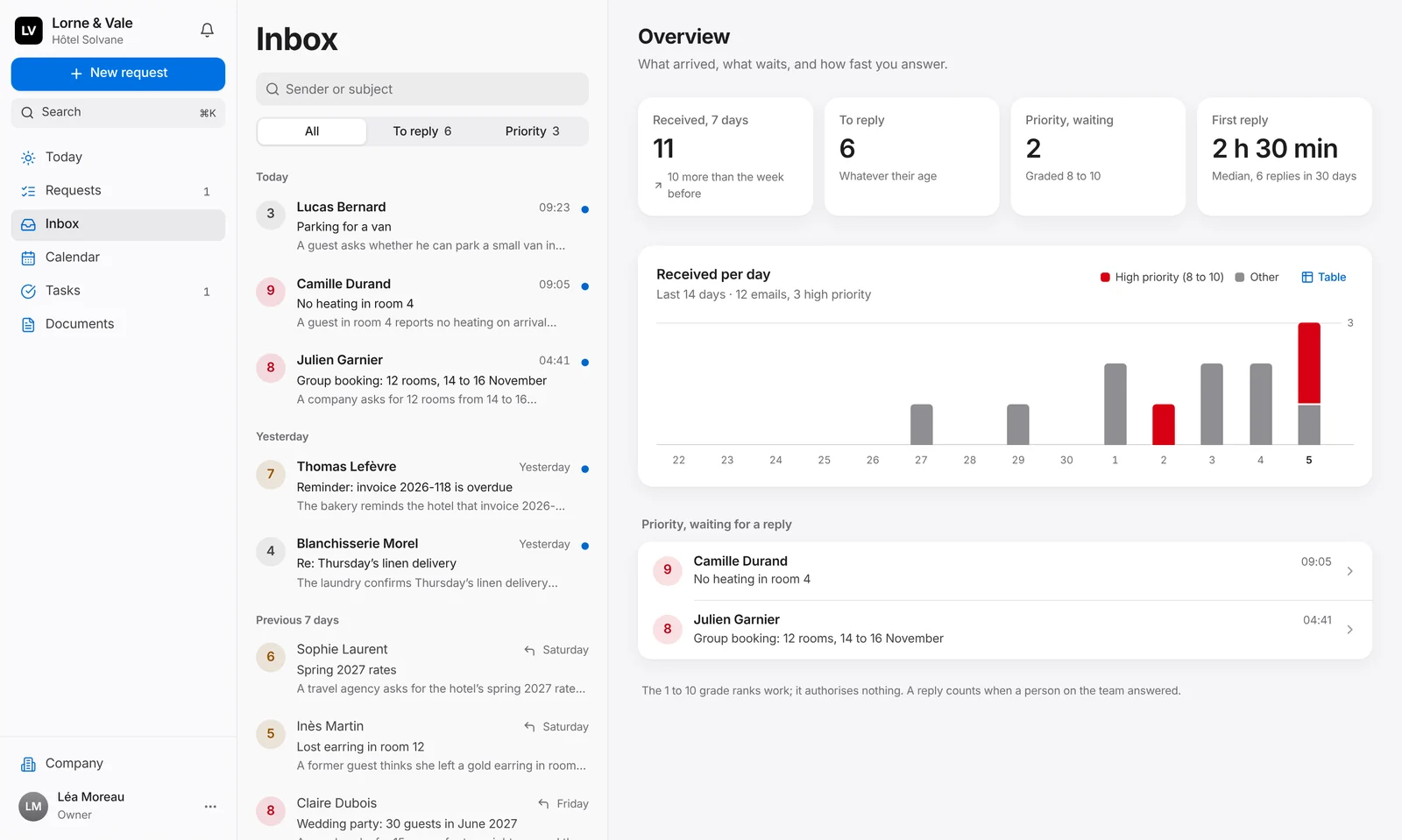
High from 8 to 10, medium from 5 to 7, low from 1 to 4, and why.
One click shows what still needs an answer, another what matters most.
The email in short, the next step, the dates, what to watch out for and what is missing.
Give it to your assistant, mark it answered, or close it when no reply is needed.
Calendar
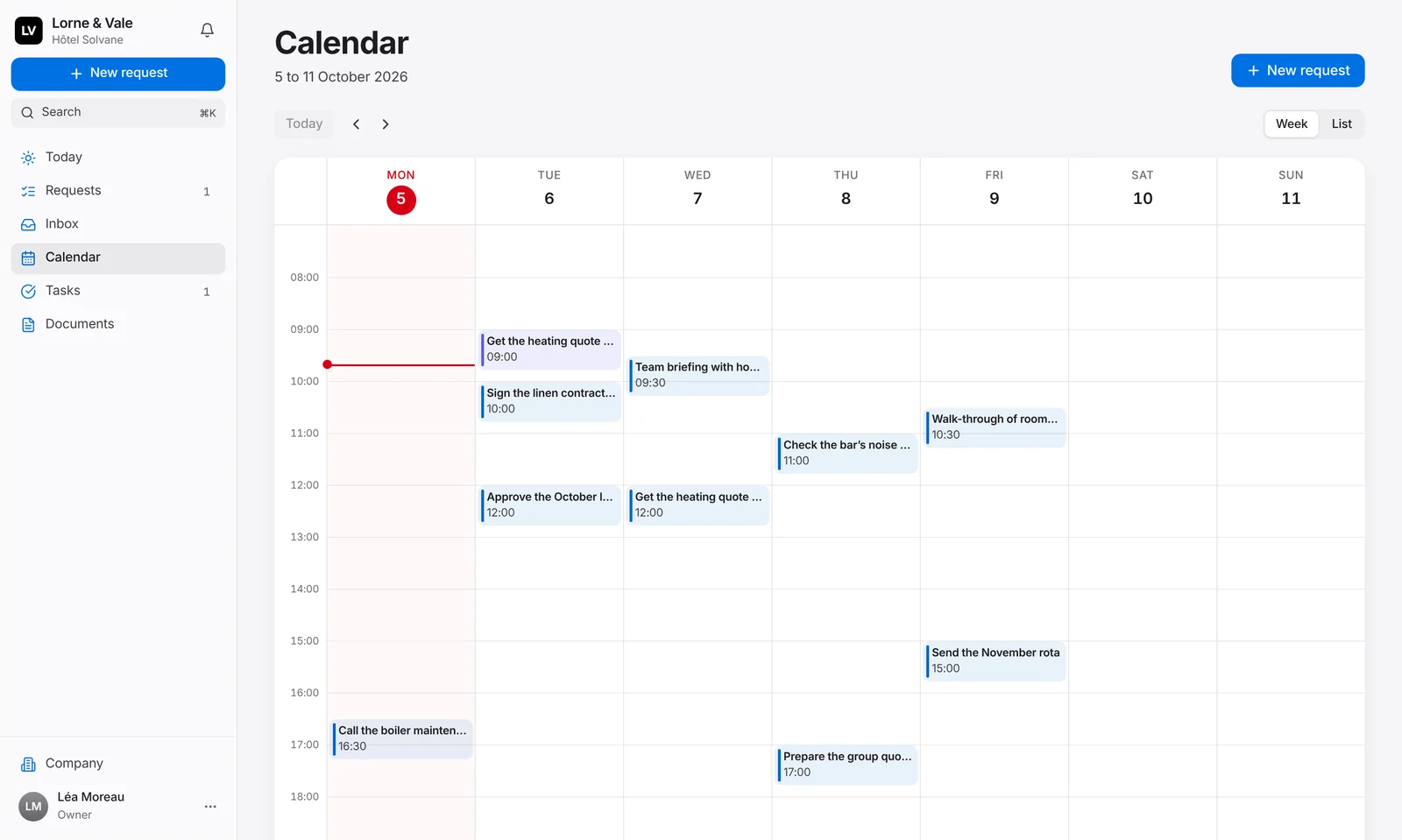
Your team’s due times and your assistant’s follow-ups, on a real week in your own time zone. Today is marked, anything late is flagged, and the list view is one click away.
Tasks
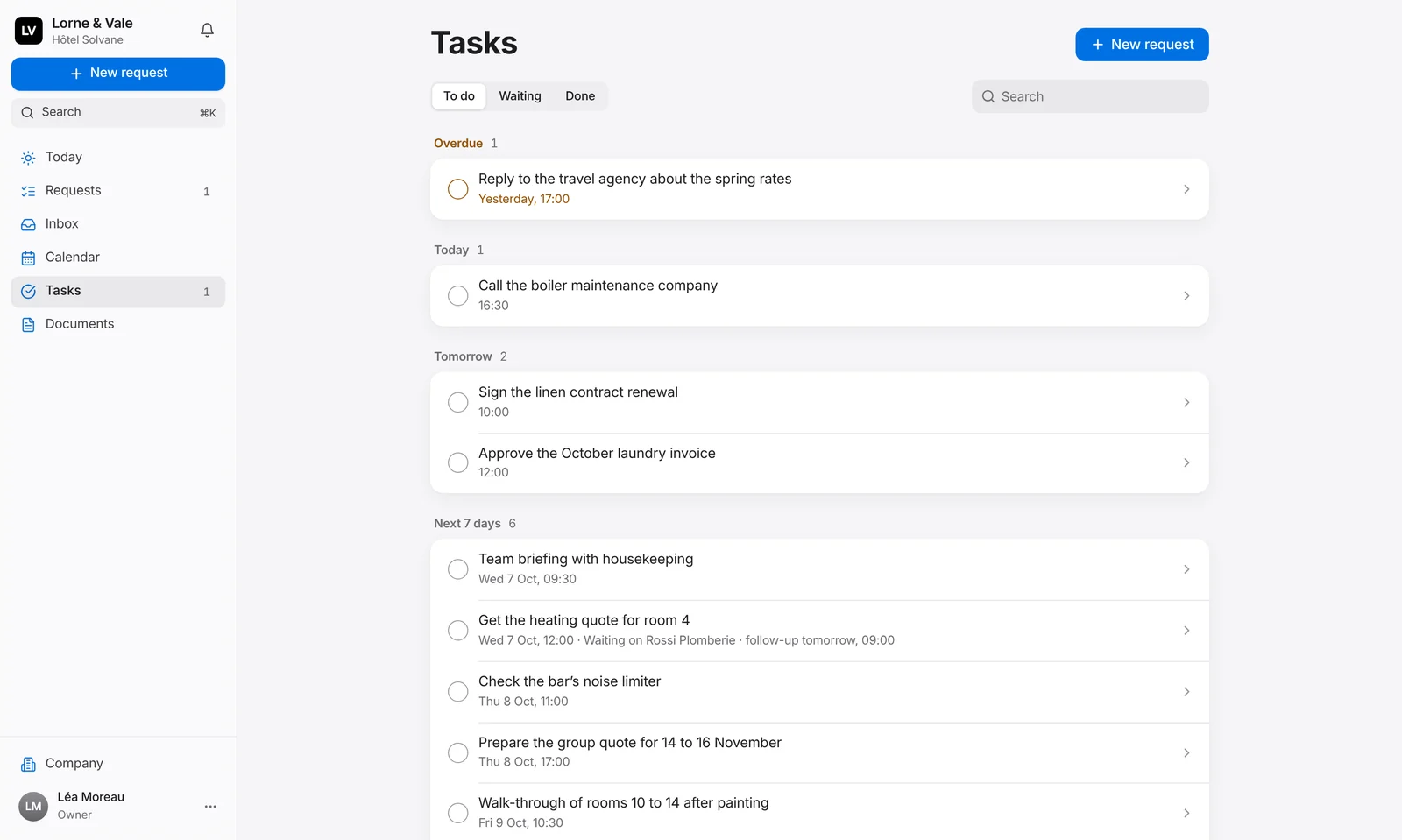
Overdue, today, tomorrow, the next seven days, later. Tick a task off with one line on what was done, or open it to reschedule, assign or cancel it. When your assistant is waiting on someone, the task says who, and when it follows up.
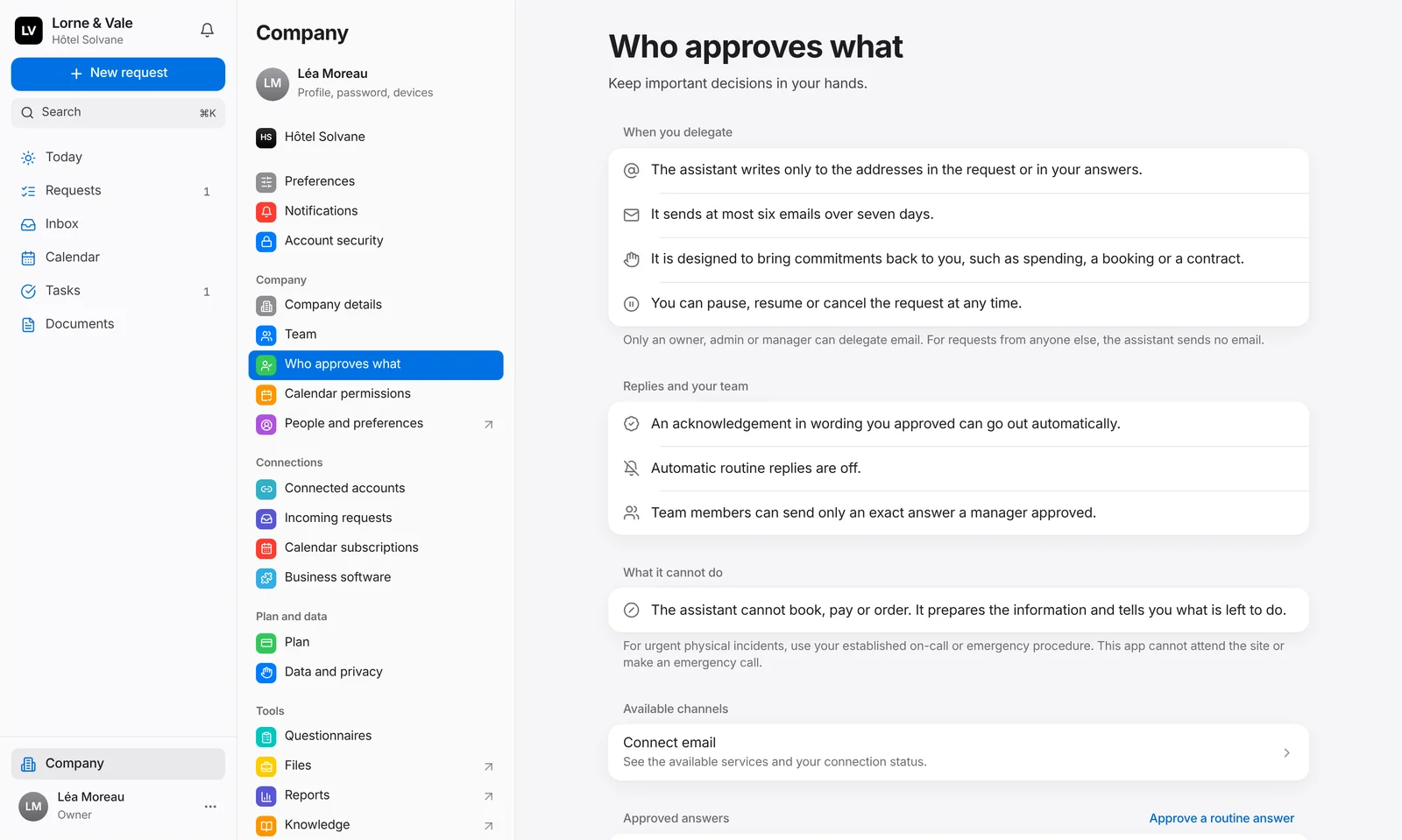
Set up at your desk
Your team and its roles, who approves what, your notifications, your subscription and your data, in one window that reads like your Mac’s settings. Export your data whenever you like.
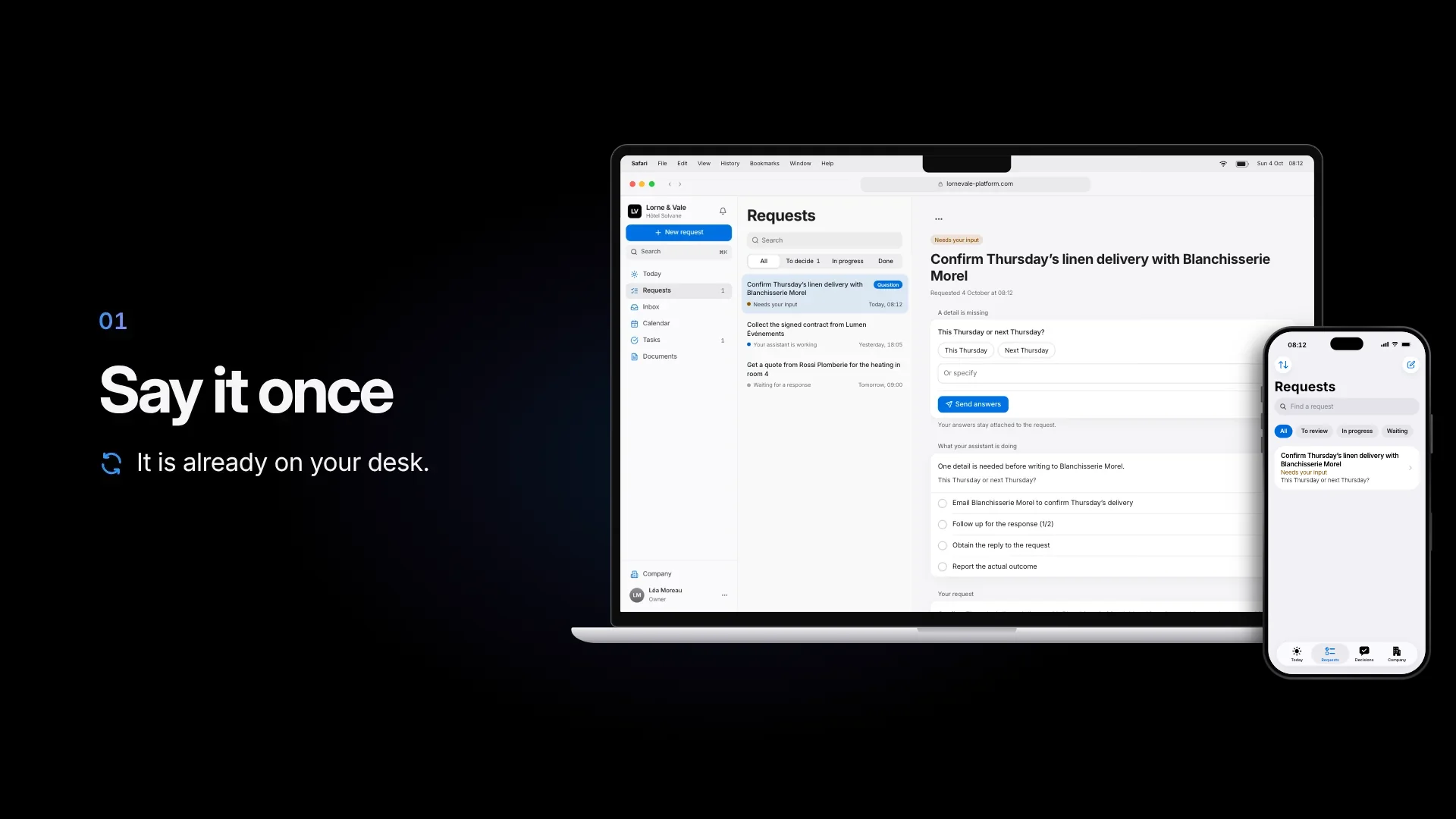
In action
A request handed over on the iPhone, decided at the desk, done on both screens. Pick a chapter, or answer the question yourself.
An interactive film of about ninety seconds. A request is handed over on the iPhone app and shows up on the web platform too. Its one question is answered at the desk, and the iPhone follows. The assistant emails the supplier, follows up and gets the reply, and the outcome shows on both screens. Then the places of the web platform and the rules the assistant follows. No sound.
The iPhone app
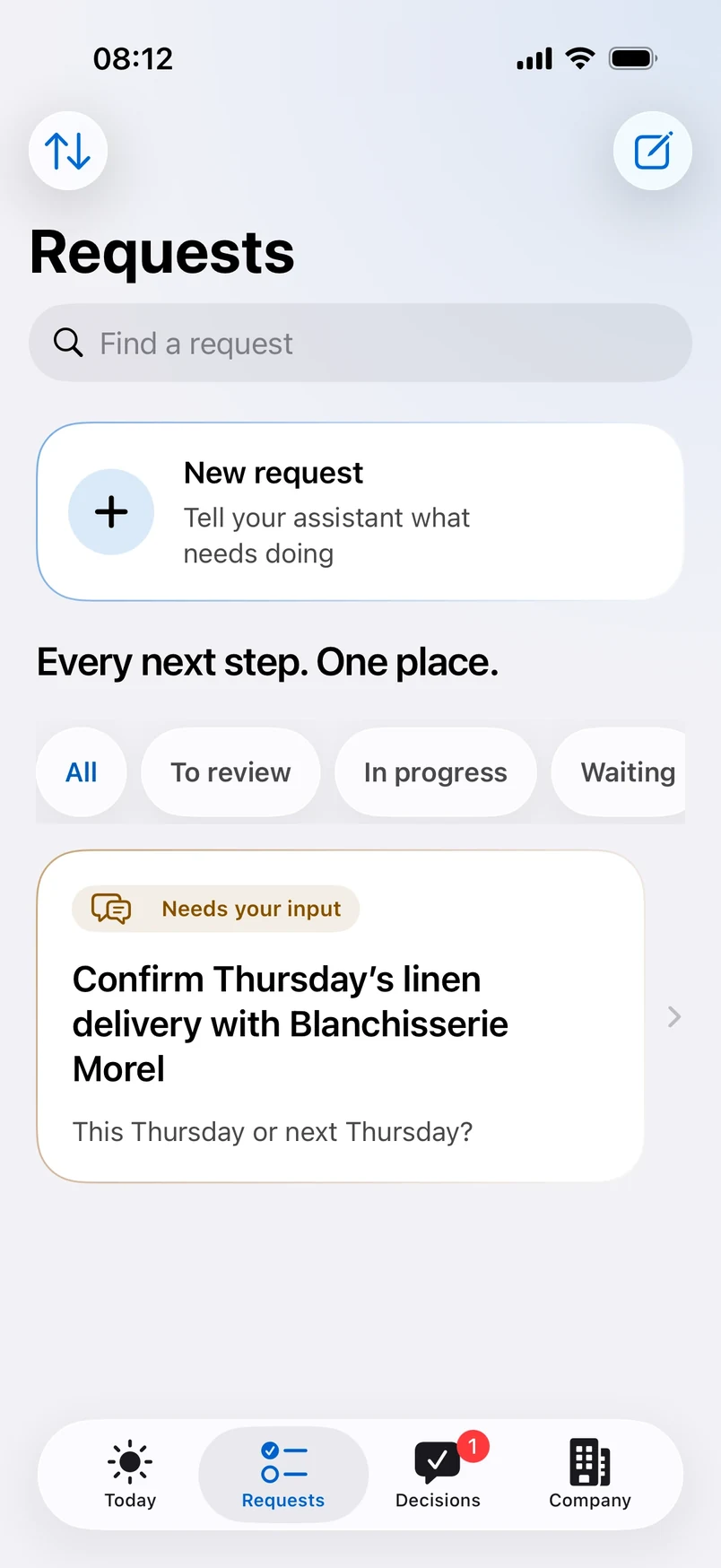
Four tabs hold the whole app.
What matters now, at a glance.
Every task you handed over, with its status and its next step.
Only what needs your call, in one place.
Your team, its roles and its documents.
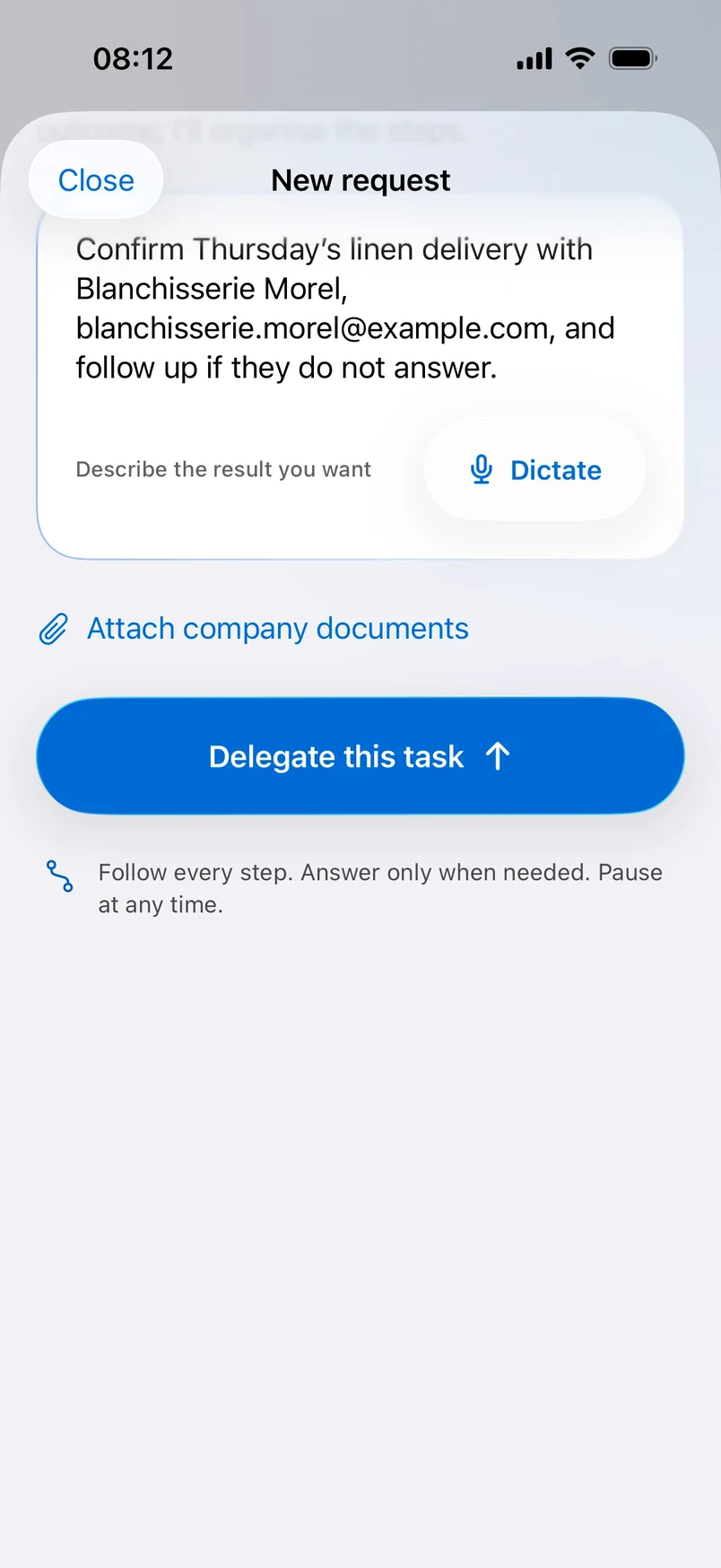
Dictation
Tap Dictate and describe what you need while you walk to your next meeting. Your assistant turns it into a clear brief.
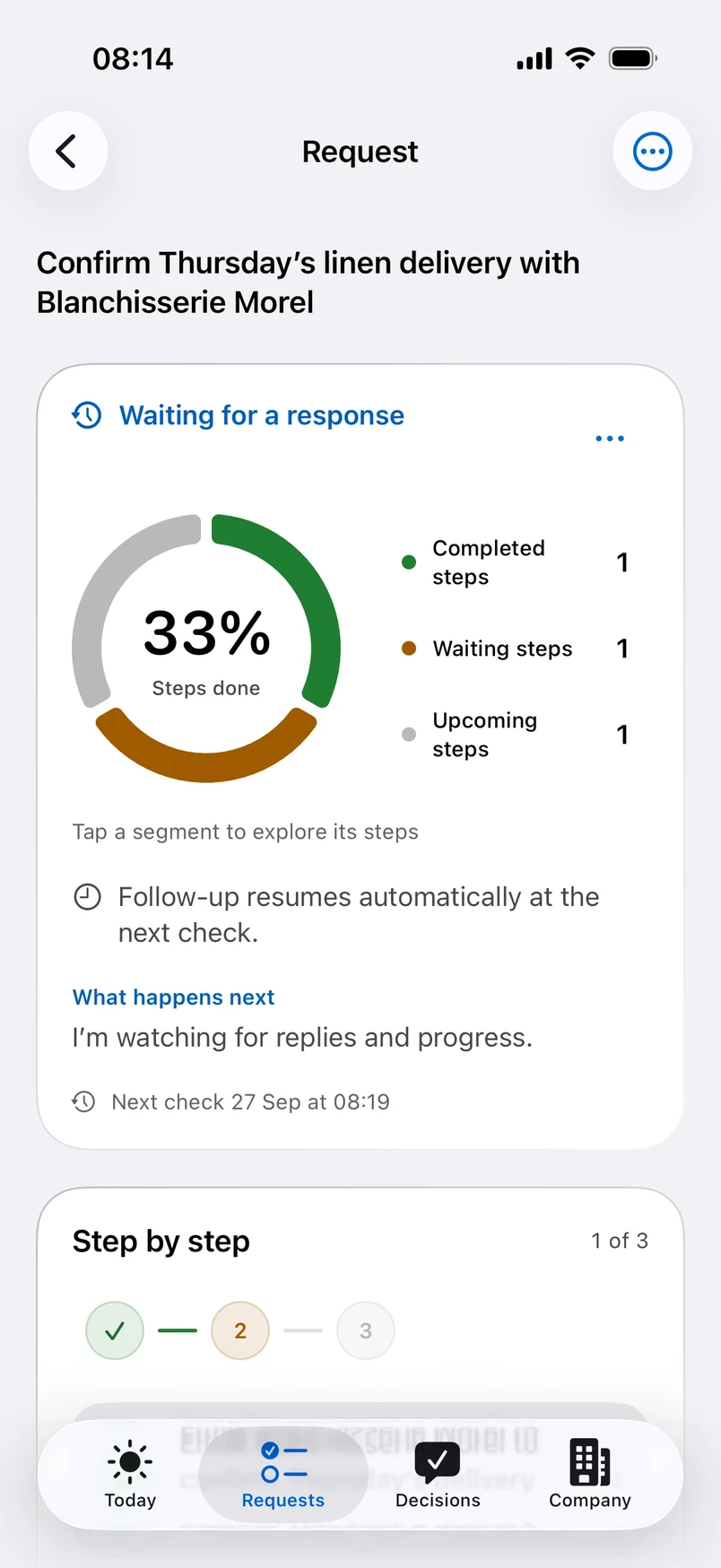
Live progress
A ring shows each request’s progress: steps completed, steps waiting and steps to come. Tap a segment to see the detail.
Face ID and appearance
The app locks with Face ID, keeps what it stores for offline use encrypted, and follows your iPhone’s appearance on every screen.

Works where you work
Start on your iPhone, pick it up on your Mac, answer from a Windows PC. Two-step sign-in on the web, English and French everywhere.
The native app, with Face ID, dictation and light or dark mode.
The full web platform, in the browser you already use.
The same workspace on any Windows PC. Nothing to install.

Set up your workspace in a few minutes, on your own or with a founder, and invite your team.