
How it works
From one sentence
to a finished job
Here is what happens after you hand something over, step by step, in the real app.
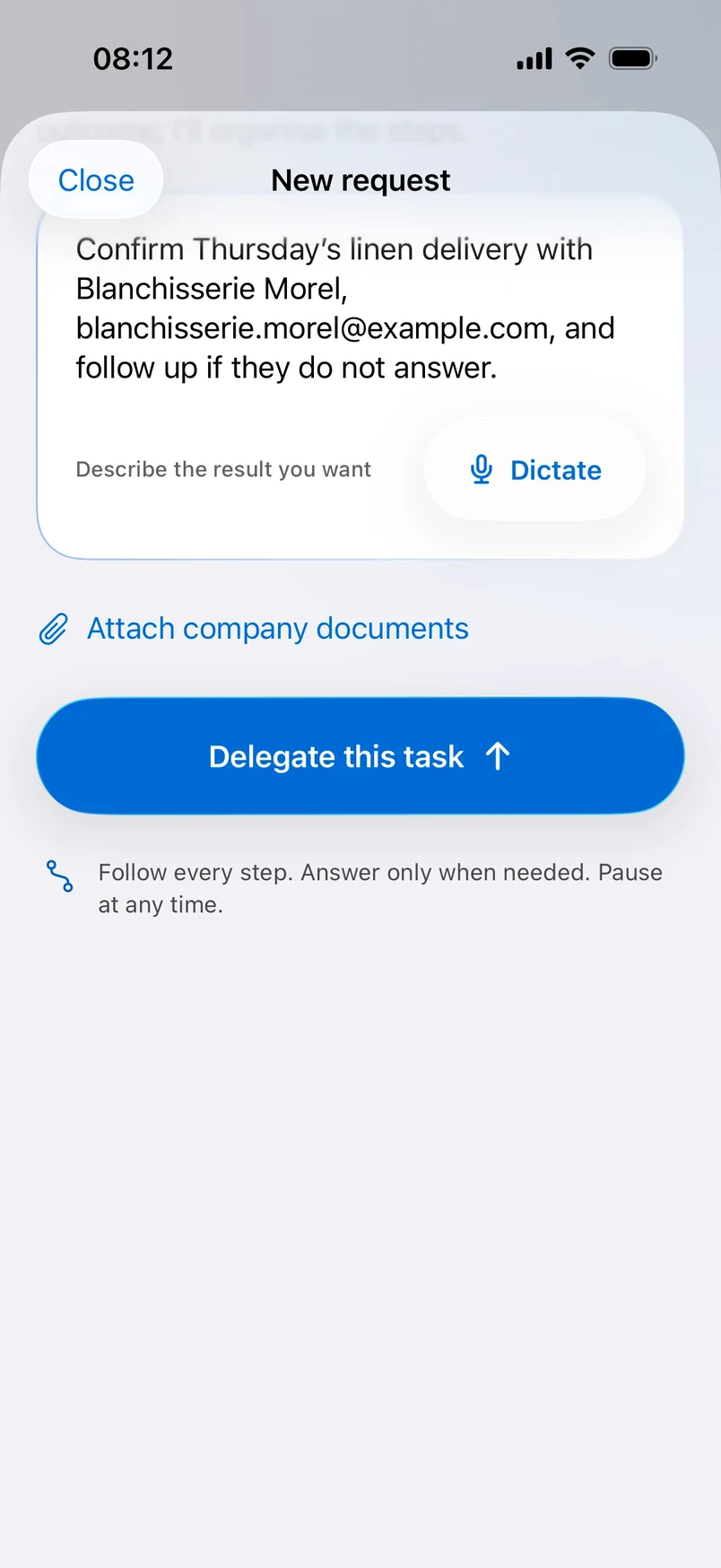
Describe the result you want
Type or dictate what you need, the way you would say it to a colleague. Add an email address, or attach a company document if it helps.
Dictate it
Say it out loud. Your words become the brief.
Attach what matters
Company documents travel with the request.
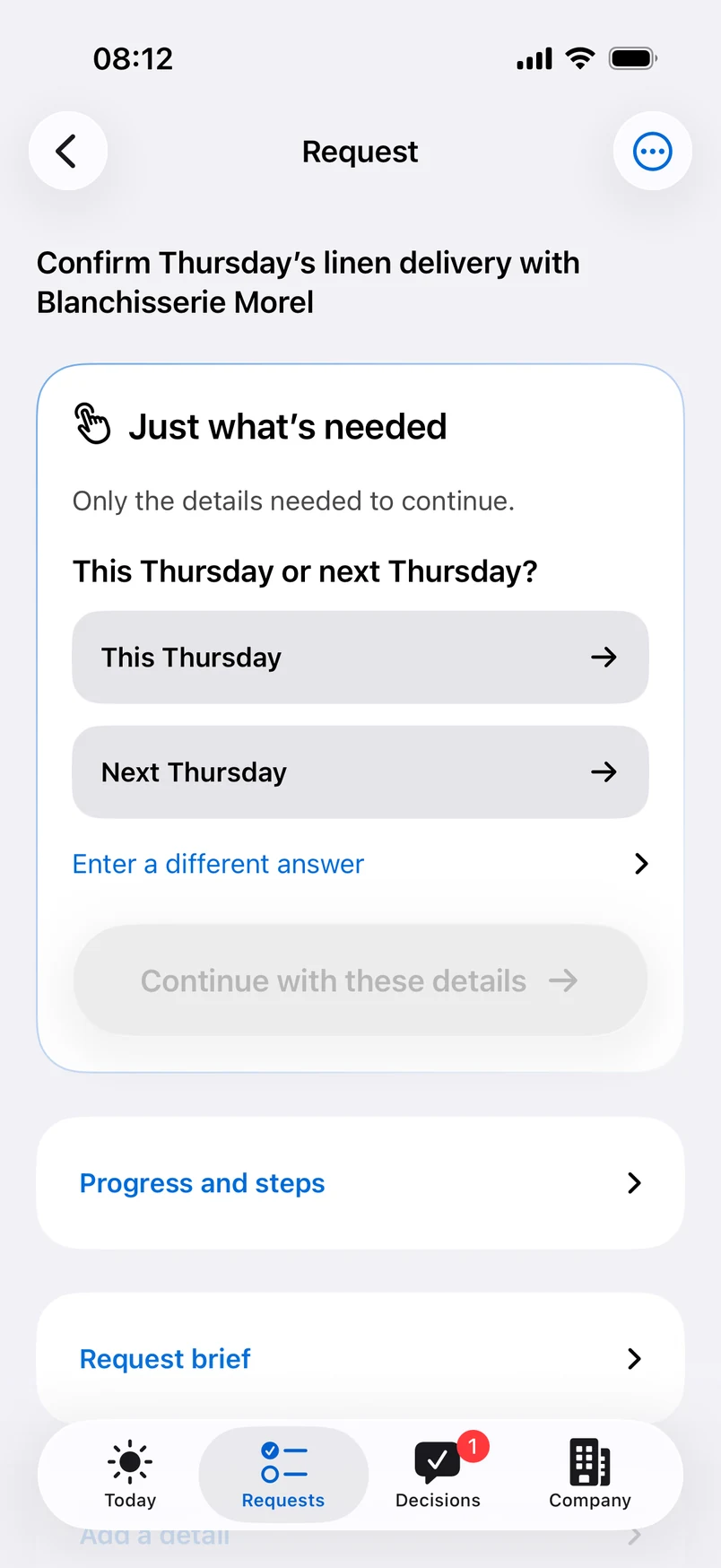
It asks only what it needs
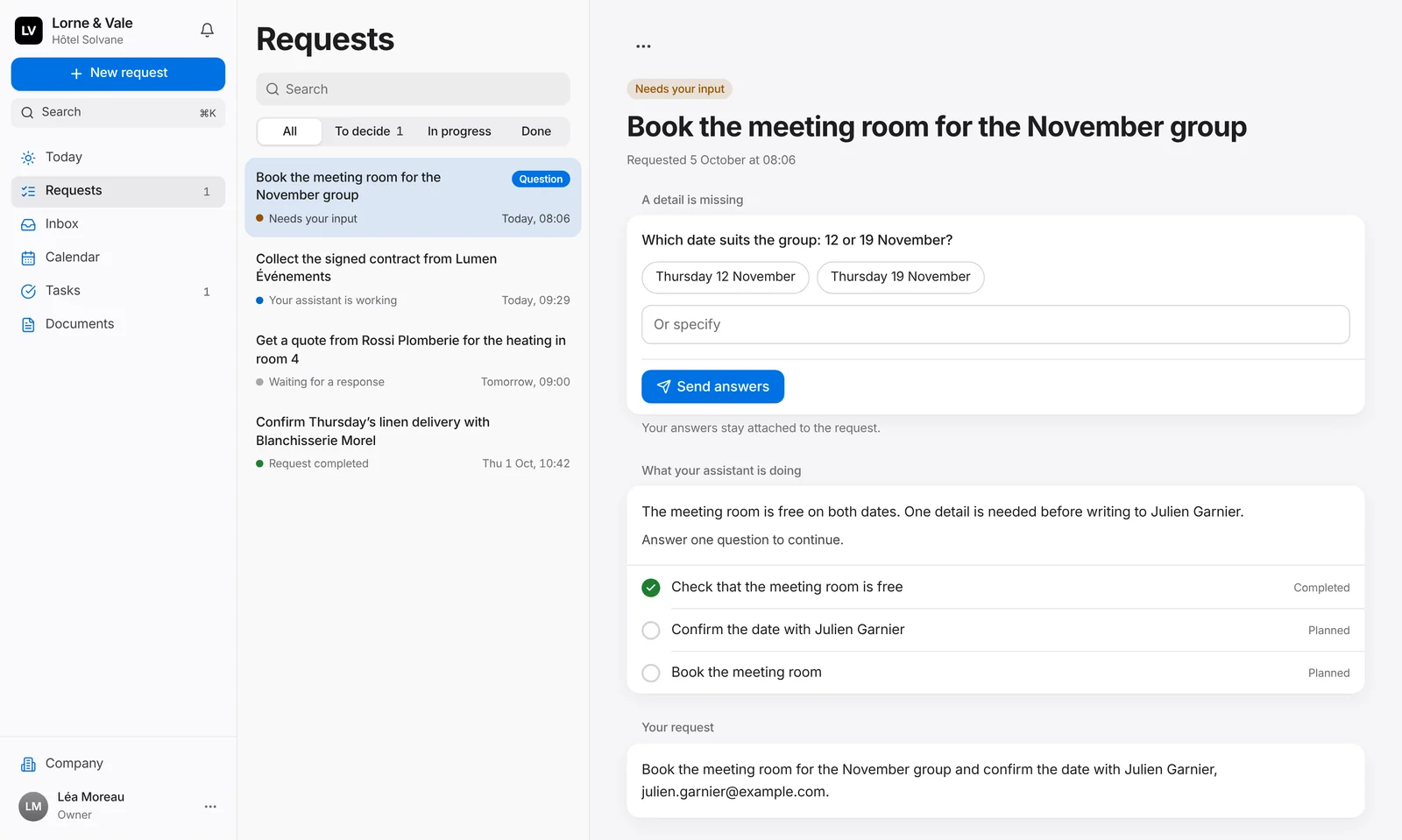
When a detail is missing, like which Thursday, it asks one clear question with ready answers. Tap one, or type your own, and it carries on. No guessing.
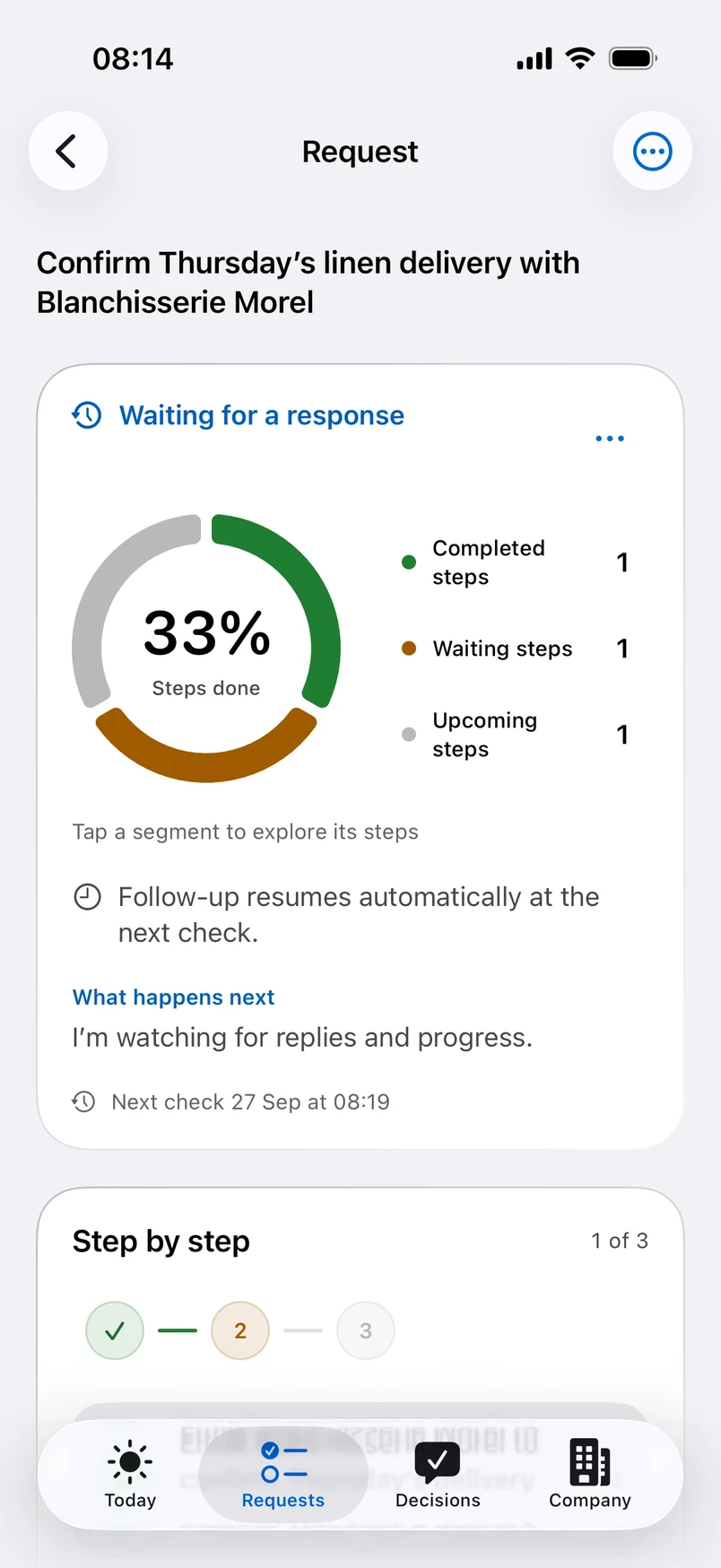
It gets to work
It writes and sends the email, then watches for the reply. A live view shows what is done, what is waiting and what comes next, with the time of its next check.
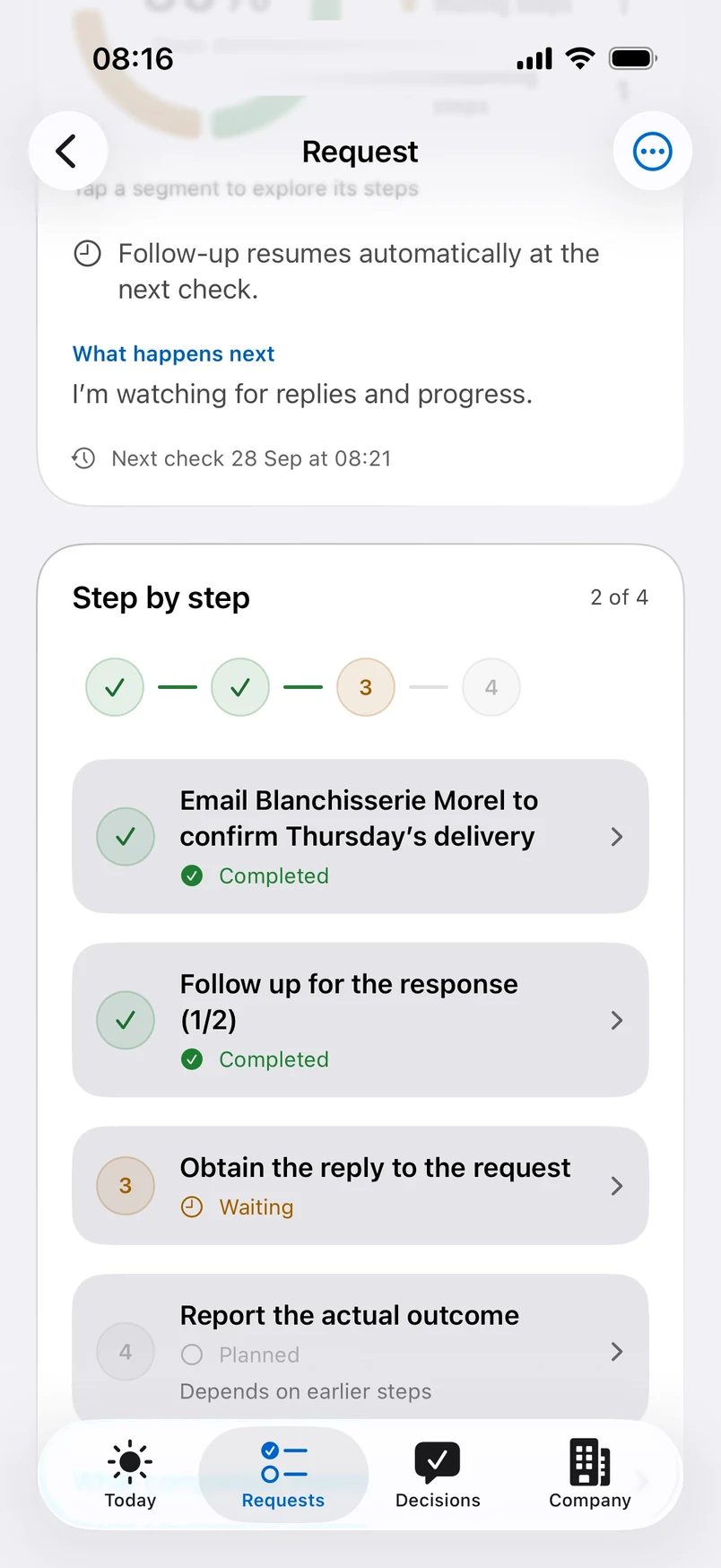
It follows up for you
No answer? It follows up on schedule, politely, and picks the thread back up at the next check. You see each step tick over as it happens.
You make the calls
When a choice is yours, like waiting longer or contacting someone else, it stops and asks. Autonomous, never presumptuous.
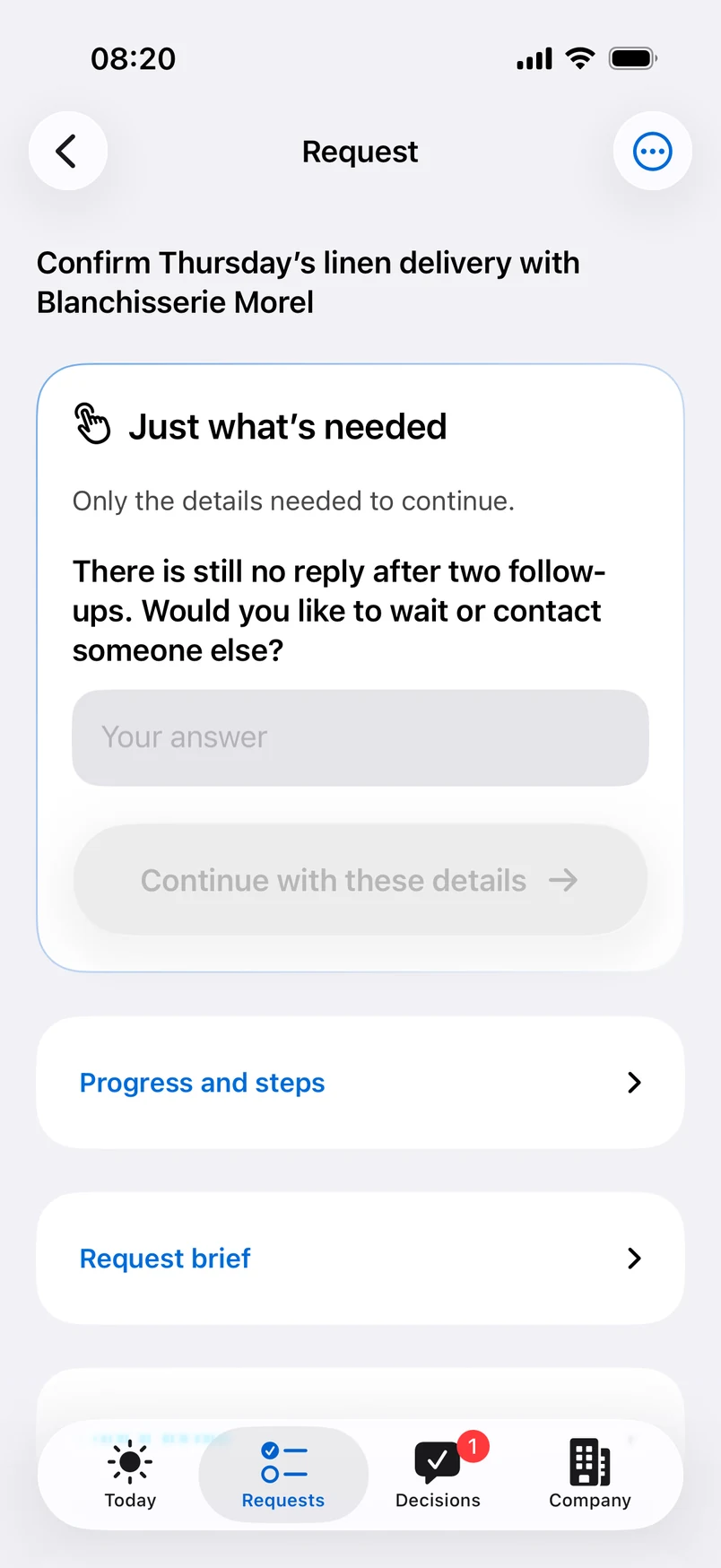
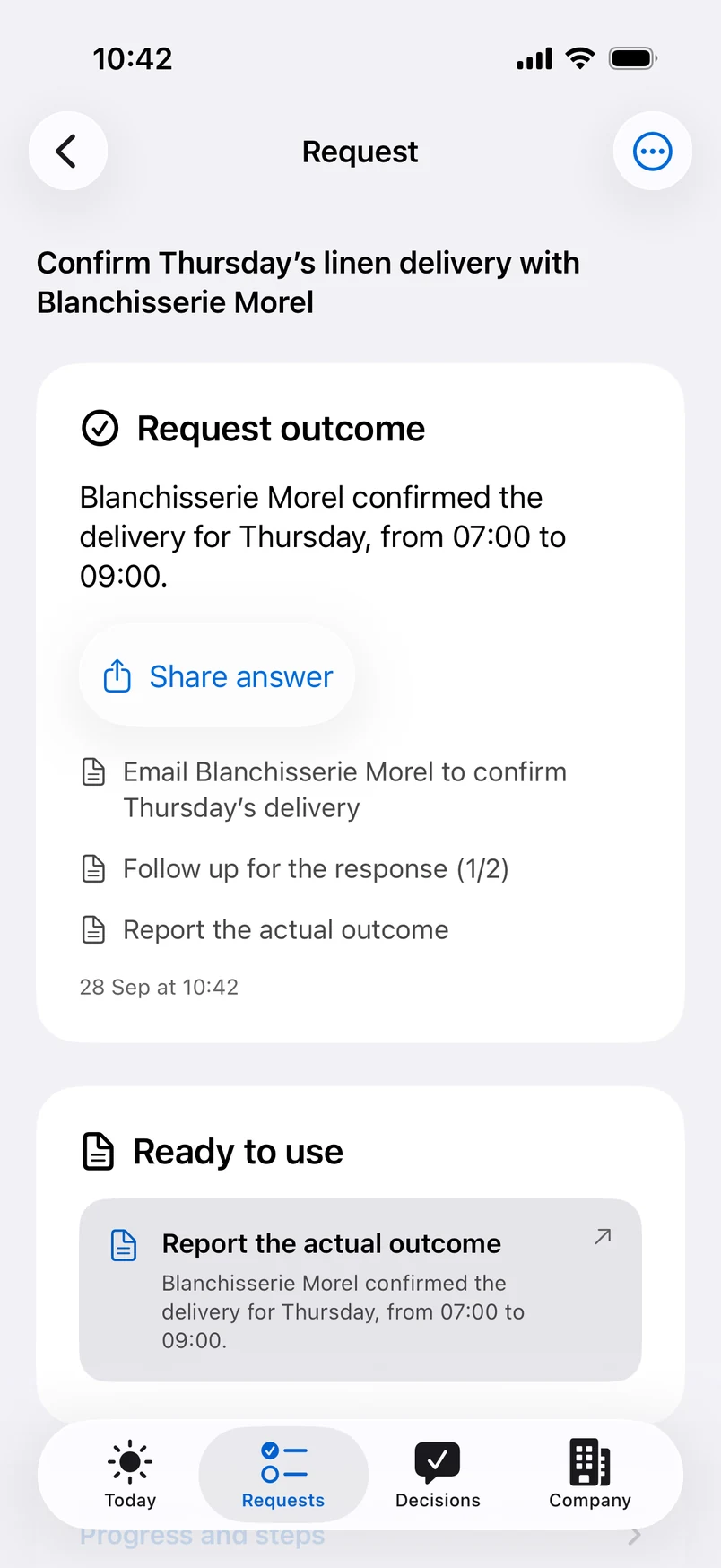
Done, with the answer
You get the outcome in plain words, ready to share, with every step that led to it. Everything is kept on a record nobody can quietly rewrite.
One place
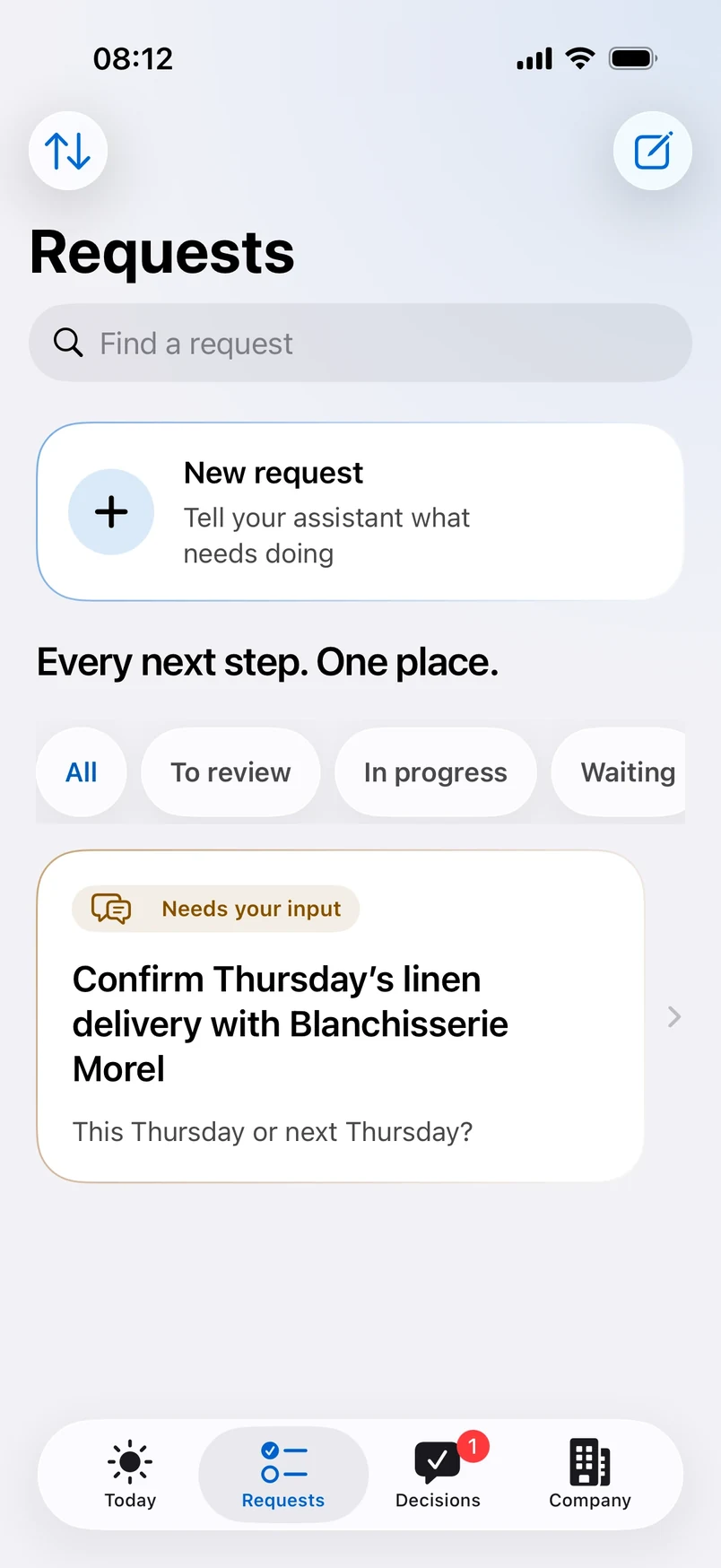
Every next step
One screen
Every request, its status and its next step, together. Filter what needs you, what is in progress and what is waiting.
From your desk
Follow it all
on your Mac or PC
On the web platform, each request sits beside its detail: what was sent, what is waiting, what comes next and the full history of actions. Decide, reply, pause or cancel in a click.
Ideas
What you can hand over
Anything that moves by email and needs someone to follow it through.
Confirm a deliveryGet the supplier to confirm the day and the time slot.
Chase a quote or an invoiceFollow up until the document arrives.
Collect a missing detailAsk for the one thing that blocks everything else.
Get an answer from someone who went quietPolite follow-ups, at the right pace.
Triage an urgent customer emailA summary, the next step and a reply to review.
Brief a partnerSend the details and get a confirmation back.

Try it on
your own list
Choose your plan and set up your workspace in a few minutes, on your own or with a founder.