How it works

From first contact to your firm’s decision

Form, email or missed call: every enquiry follows the same path. Captured, structured, routed to the right lawyer, acknowledged in the firm’s name. Then your firm decides.

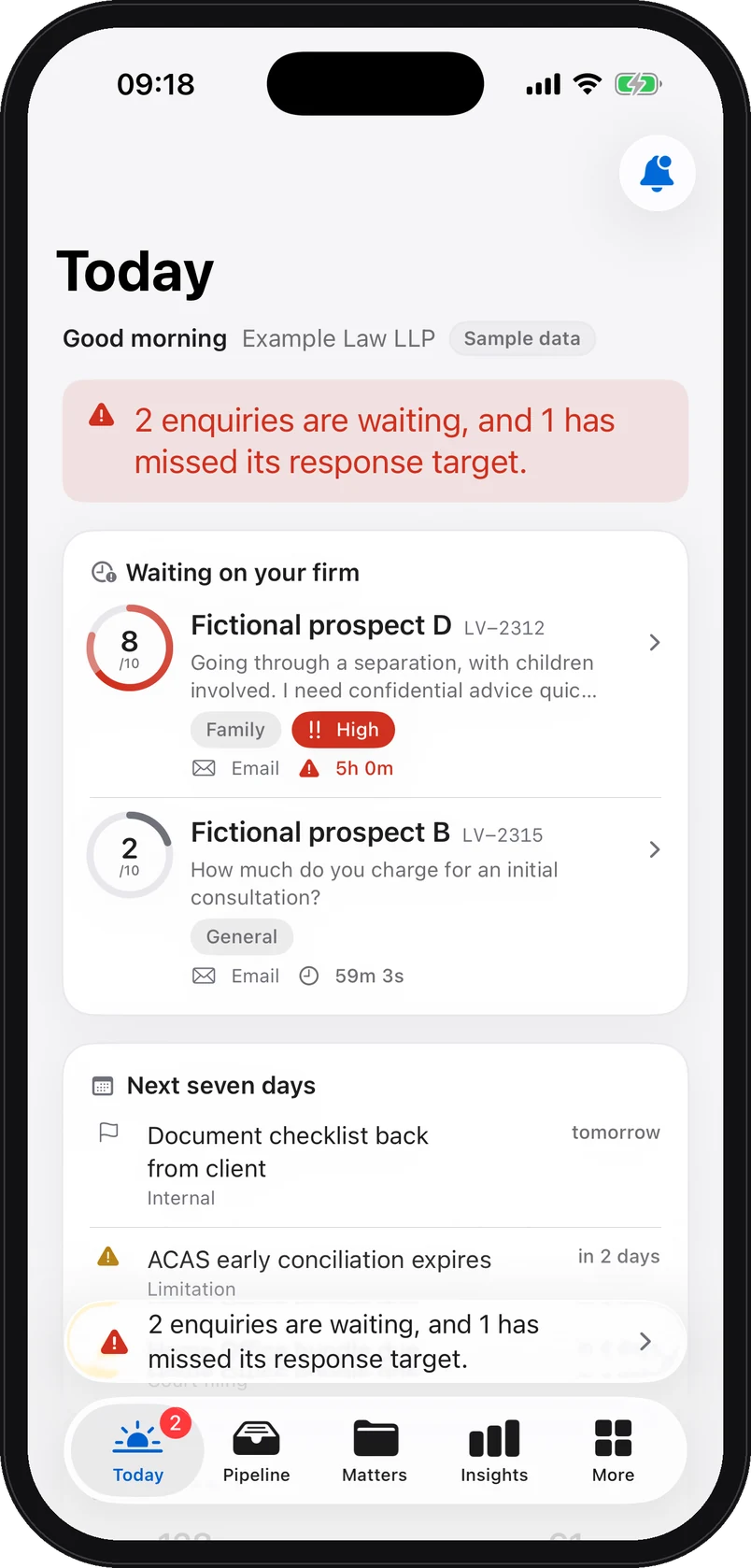
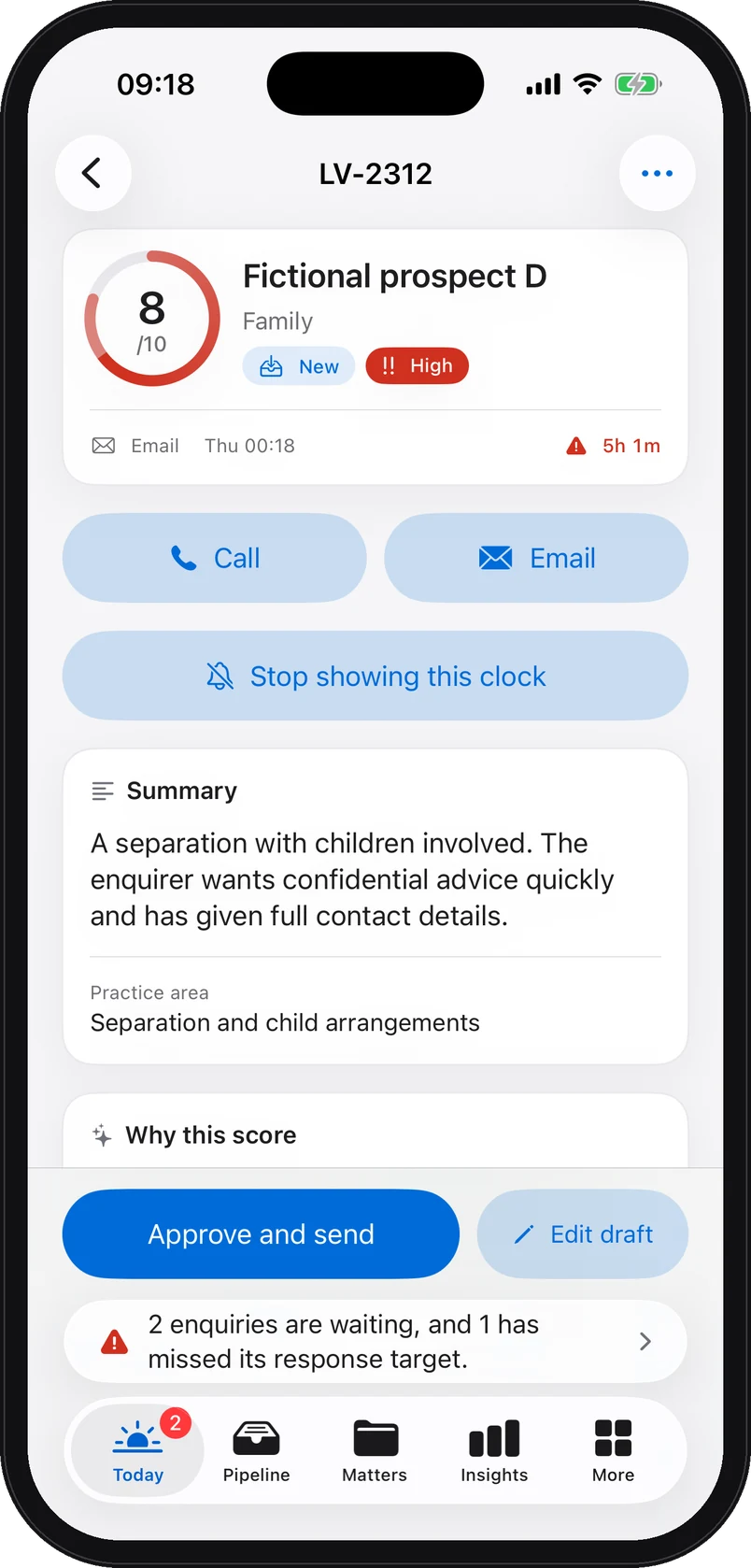
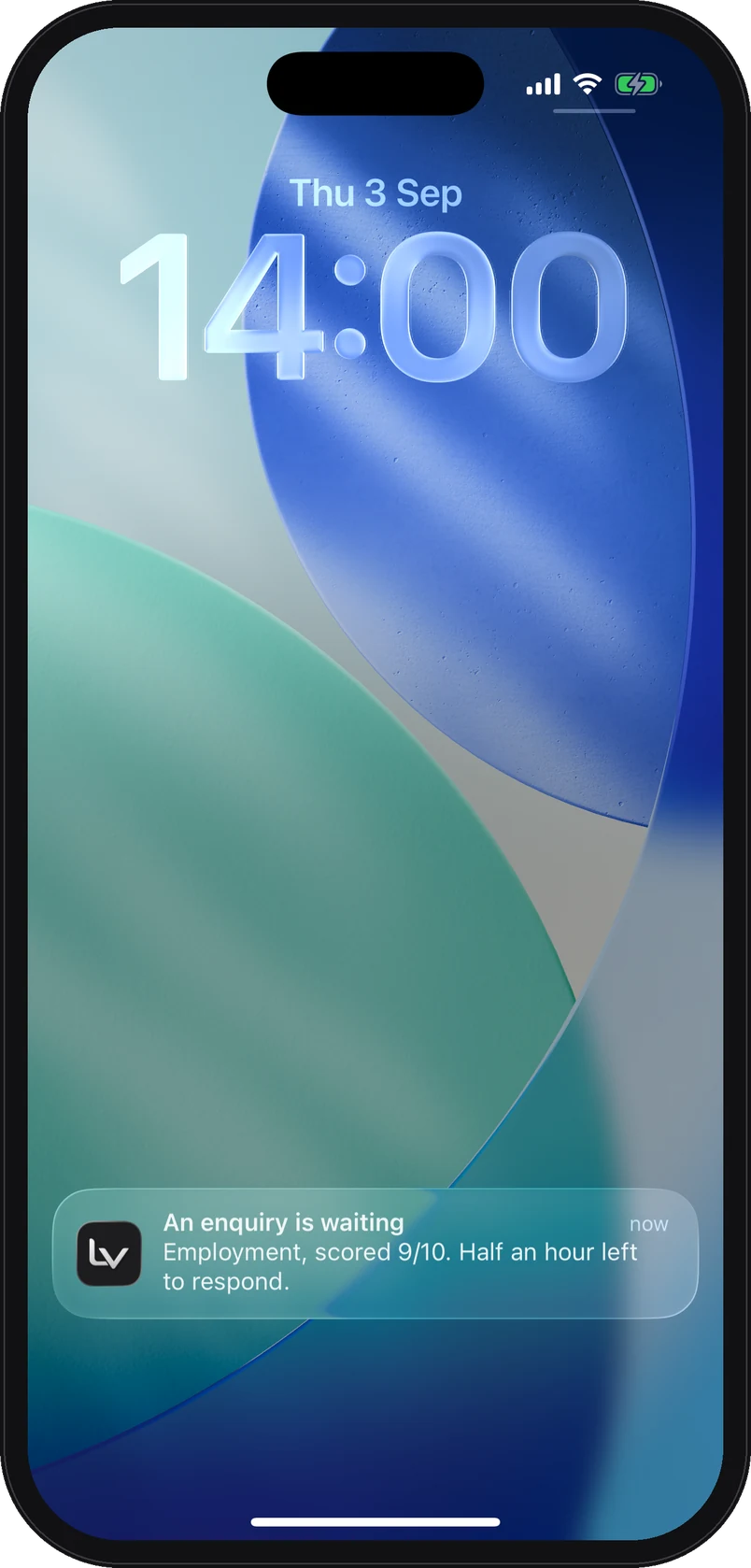
iPhone app screenshot with demo data: Today screen: two enquiries waiting on the firm, the first scored 8 out of 10 with its countdown. iPhone app screenshot with demo data: The enquiry brief on iPhone: scored 8 out of 10, the enquiry summary, practice area and suggested first contact. iPhone app screenshot with demo data: The pipeline on iPhone: each fictional enquiry with its score, practice area, stage and response time. iPhone app screenshot with demo data: The suggested reply on iPhone, marked as a draft until it is sent, with the enquiry’s history. iPhone app screenshot with demo data: A reminder on the iPhone lock screen: an enquiry is waiting, employment, scored 9 out of 10, half an hour left to respond.

Web platform view and iPhone app screenshots. All demo data is fictional.

Step 1 · Capture

Three channels, connected in a few moves

Each channel is connected from the firm’s settings, on the Intake channels page. Everything that arrives becomes an enquiry in the same table, with the same enquiry brief.

The website form

A hosted enquiry page in the firm’s name, and a snippet that puts the same form on your own website. Every submission becomes an enquiry.

What the firm doesIt adds the link to its page on its website, its Google listing or its email signatures, or pastes the supplied snippet wherever the form should appear.

Email

Emails forwarded to the dedicated address enter the enquiry workflow for administrative triage.

What the firm doesIt creates a forwarding rule from its contact address to the receiving address we supply. Its mailbox does not change.

The missed call

During a hearing, a meeting, or after the office closes. Unanswered calls and text messages arrive on a capture line, the voicemail is transcribed, and the enquiry is created.

What the firm doesIt diverts its unanswered calls to the capture line we supply.
Charlotte Bennettcharlotte.bennett@example.invalid
Separation, two childrenHello, I am separating from my husband. We have two children and things are getting tense. I need confidential advice quickly. Could you call me back?
Forwarded email · Thursday eveningCreated at 22:47
Fictional person, address reserved for examples.

On the left, a fictional enquiry as it arrives by email. On the right, the hosted form setting, with the snippet to paste.

A fictional enquiry, as it arrives by forwarded email.

Step 2 · Structure

A enquiry brief, ready before anyone opens it

From the moment it arrives, the enquiry carries the same reading grid, whatever the channel and whatever the hour.

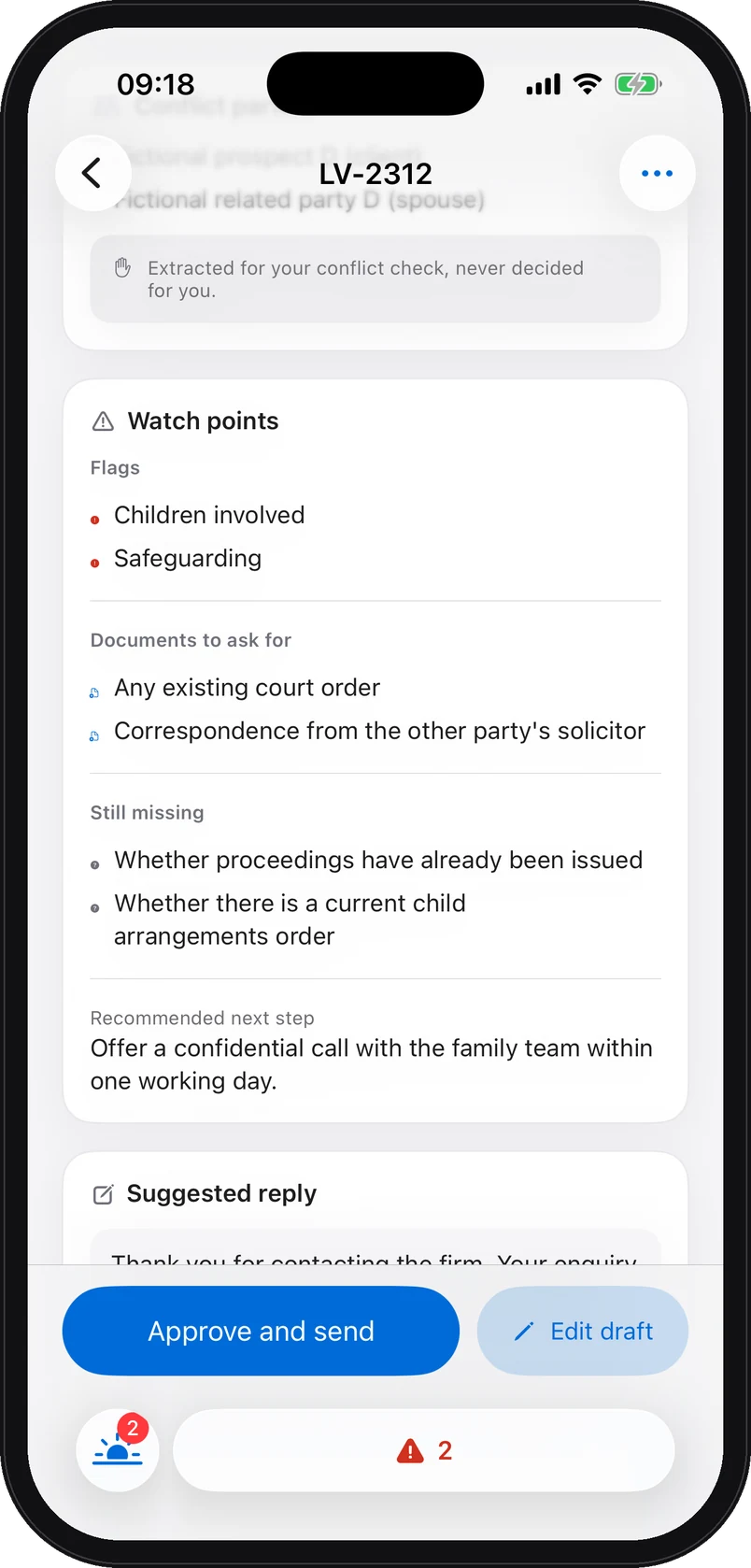
  • What the brief contains. Summary, practice area, a score out of 10 with its rationale, urgency and qualification level, the recommended next step, parties to check for the conflict search, missing information, documents to request, value signals and watch points.
  • A response target for each priority. P1, P2 or P3 sets a first-response target of 4 hours, 24 hours or 48 hours, and a countdown you can see.
  • Tokens before the model. Names, emails, phone numbers and other identifiers are replaced by tokens before any model call. The mapping is sealed under the firm’s key, and names are restored only inside its own database.
  • Human review on everything. The list of parties is extracted for you to check, never decided for you. The score helps you triage; it settles nothing.
iPhone app screenshot with demo data: The enquiry brief on iPhone: parties to check, watch points, documents to ask for, missing information and the recommended next step, for a fictional enquiry.

First-response target, by enquiry priority

4 hPriority P1
24 hPriority P2
48 hPriority P3

These are the targets the platform watches, not a promise of a reply from your firm. An enquiry that passes one moves to the top of the list.

Step 3 · Routing

A responsible team member and a response target

Every enquiry has a person, a stage and a deadline. Whatever waits too long surfaces on its own.

  • Assignment. The enquiry is assigned to a lawyer or a fee earner, by person and by practice area. The team’s workload reads at a glance on the overview.
  • Readable stages. New, qualified, consultation, proposal, won. As a list or a board, with the qualification level high, medium or low, and a CSV export.
  • “Start here”. A band names the enquiry to handle first and says why. Late responses are counted and flagged on every card.
  • Alerts for your team A notification in the platform and the app, an email alert to the owner when an enquiry is hot, and a reminder on the iPhone half an hour before the target runs out, which never names a client.
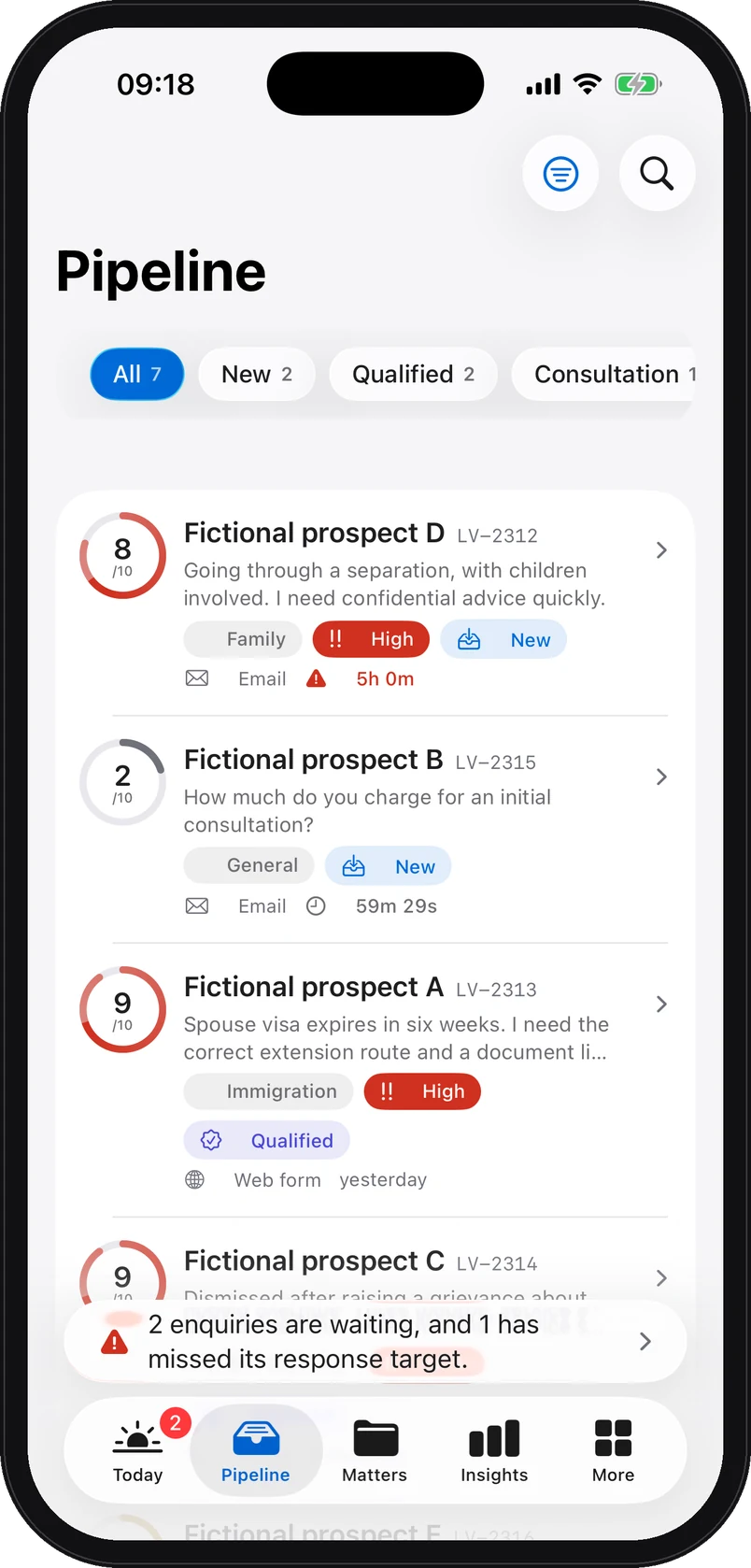
iPhone app screenshot with demo data: The Pipeline tab of the iPhone app: each fictional enquiry with its score, practice area, stage and response time.
Step 4 · Response

An acknowledgement goes out on its own. Nothing else moves without you

The person receives confirmation that their enquiry has arrived. Your firm then reviews it and decides how to reply.

  • The acknowledgement. A fixed template, sent automatically in the firm’s name, in wording you approved at setup. It is the only thing that leaves without a person.
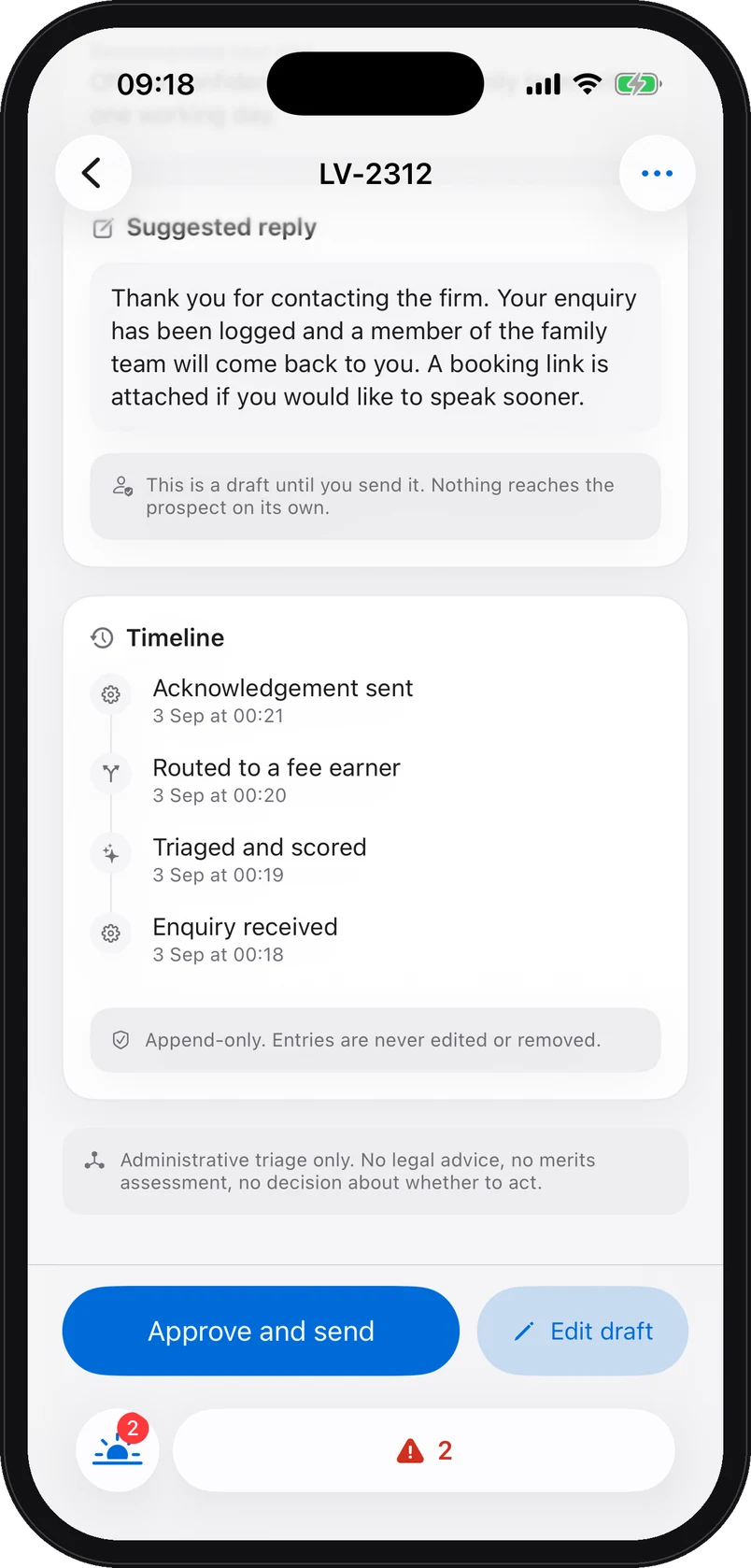
  • The suggested reply. A draft, with a suggested tone, that the lawyer edits, approves or discards. On the web as on the iPhone, it is marked as a draft until it is sent.
  • From your own mailbox. The reply leaves from the firm’s address. “Mark the first response as sent” records that reply in the enquiry’s history.
  • An append-only history. Enquiry received, triaged and scored, assigned, acknowledgement sent, response marked: every step is recorded, and corrections add a new entry. Retention and deletion follow the applicable schedule.
iPhone app screenshot with demo data: The suggested reply on iPhone, marked as a draft until it is sent, the append-only history of the fictional enquiry, and the Approve and send, Edit draft buttons.
Step 5 · Measurement

On Monday morning, a partner knows what happened

The weekly partner report fits on one page, as a PDF in the firm’s branding or a CSV for your own spreadsheets.

  • Enquiries received, hot and responded, with the average response time, compared with the previous period.
  • By practice area and by channel, with the enquiries captured out of hours.
  • First responses within target and the split of enquiries by stage.
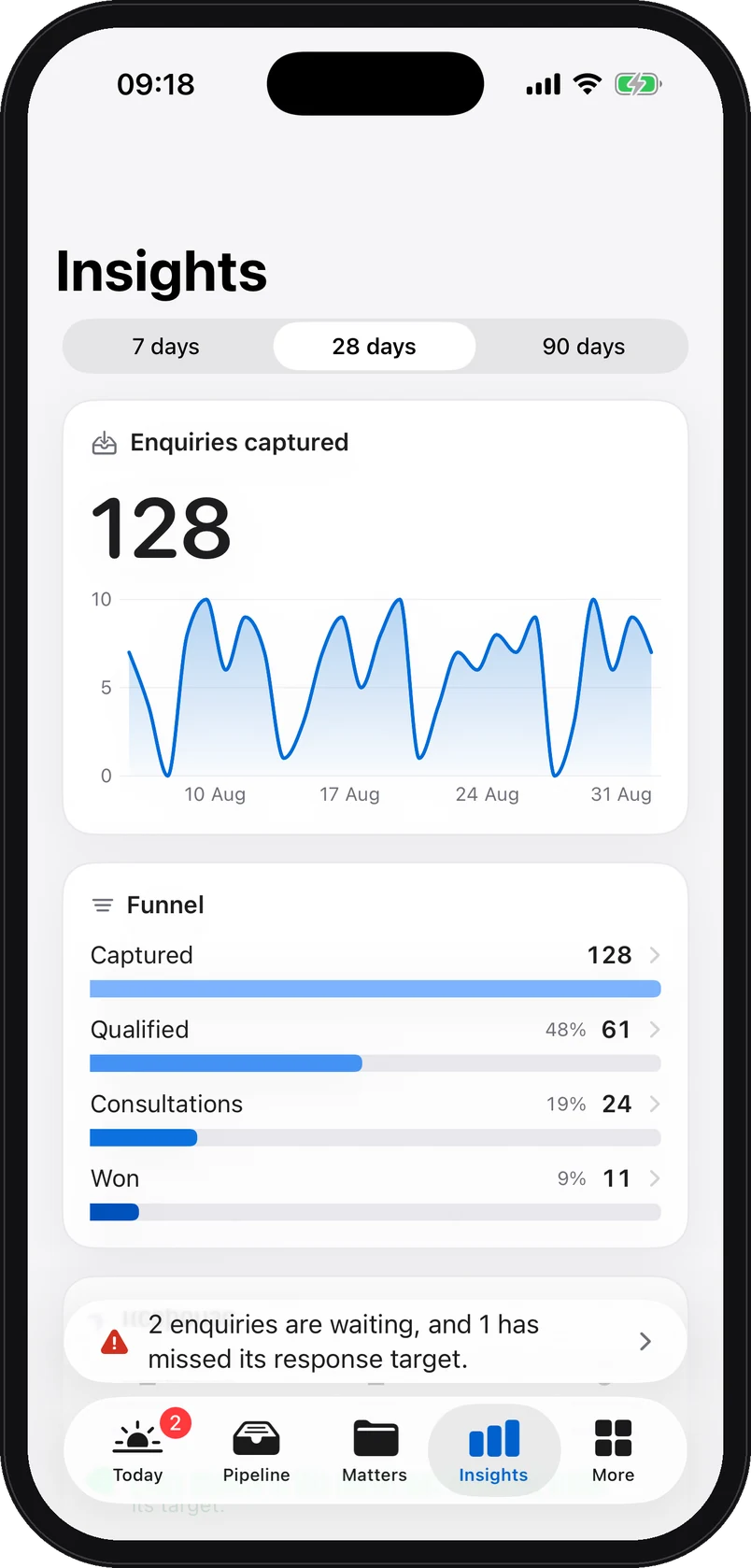
iPhone app screenshot with demo data: Insights on iPhone: enquiries received over 28 days, and the funnel received, qualified, consultations, won, on fictional data.

Web platform view and iPhone app screenshots. All demo data is fictional.

Setup

Setup supported by a founder

A founder runs the setup with you, on one practice area. Your firm approves every wording before a real enquiry goes through.

  1. At signature

    The scoping call

    A founder, a partner. Your channels, your practice area, who receives what, and what you expect from the first 60 days.

  2. Days 1 to 3

    Connection and wording

    We connect the form, the email forwarding and the capture line with you. You approve, word for word, the text of the acknowledgement.

  3. Days 4 to 6

    Tests using fictional enquiries

    Your firm validates the workflow using fictional enquiries before approving any use of live data.

  4. At go-live

    Live

    The firm is live. Enquiries arrive triaged, routed and acknowledged, on the web and on the partner’s iPhone.

  5. During the pilot

    The pilot review period

    During the pilot, the No-Miss Guarantee provides for the deposit to be returned, the balance waived and a covered fault corrected without charge. After the pilot, the subscription continues monthly under the contract’s cancellation terms.

What stays with the lawyer

Lorne & Vale prepares the information. Your firm decides

Administrative handling of inbound enquiries. The only thing that leaves without a person at the firm is the acknowledgement, in wording you approved.

No legal advice

The brief summarises, classifies and flags. It gives no view on the merits, and says so on the brief itself.

No client acceptance

The score helps you triage. The lawyer checks conflicts, weighs the enquiry and decides alone whether to open a matter, or not.

Proposed replies await approval

Suggested reply, next step, proposed tone: nothing leaves without a person at the firm approving it, editing it or discarding it.

Intake audit · 15 minutes

Review the workflow using a fictional enquiry

Fifteen minutes with a founder. Your channels, your volume, your practice area. You leave with a costed estimate and a clear answer, including if it is not for you.

Prefer to write first? contact@lornevale.com